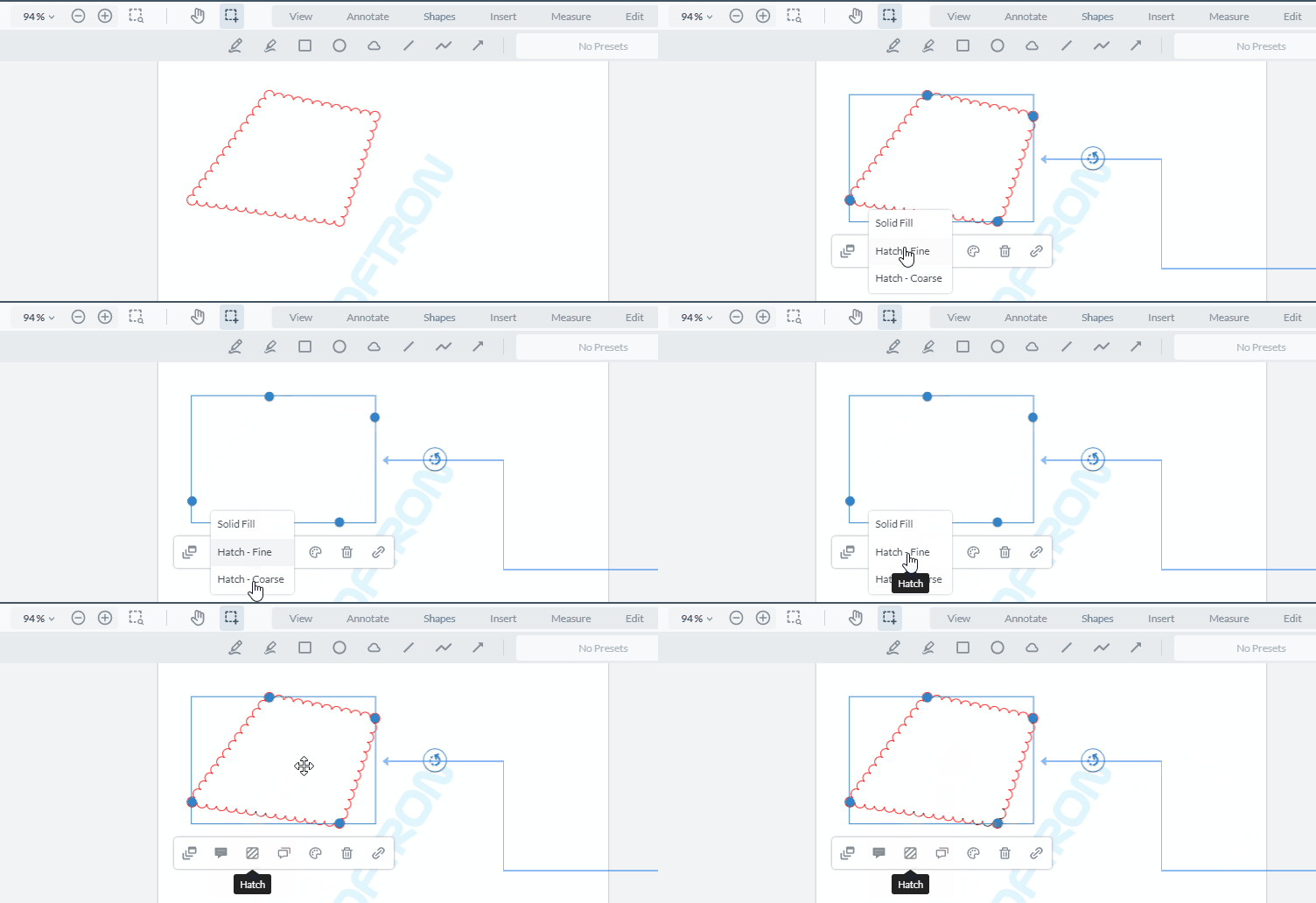
Hi @Matt_Parizeau ,
I implemented as you have suggested, we are facing 3 issues.
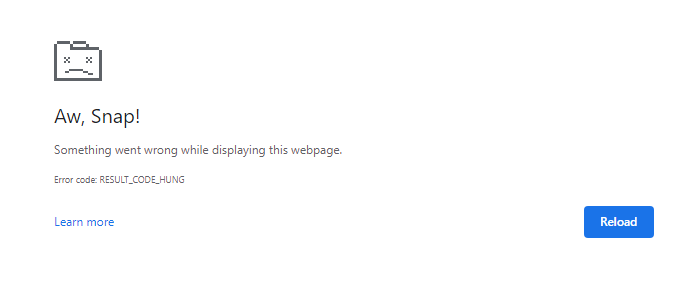
1 ) Page unresponsive / page become slow :
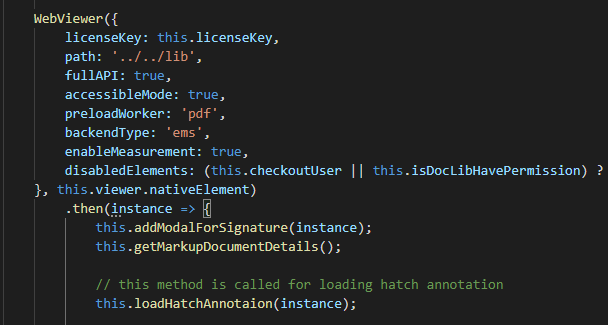
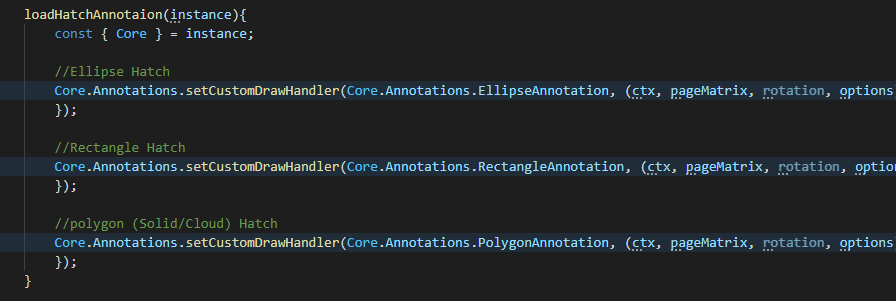
- as you mentioned, pre-filled hatch annotation(already hatch) can be load on the time of Webviewer instance, see my below code, It’s causing page unresponsiveness / page loads much (because of constantly executing of setCustomHandler()).
- this loadHatchAnnotation() method, I’ve called after instance loaded.
result :
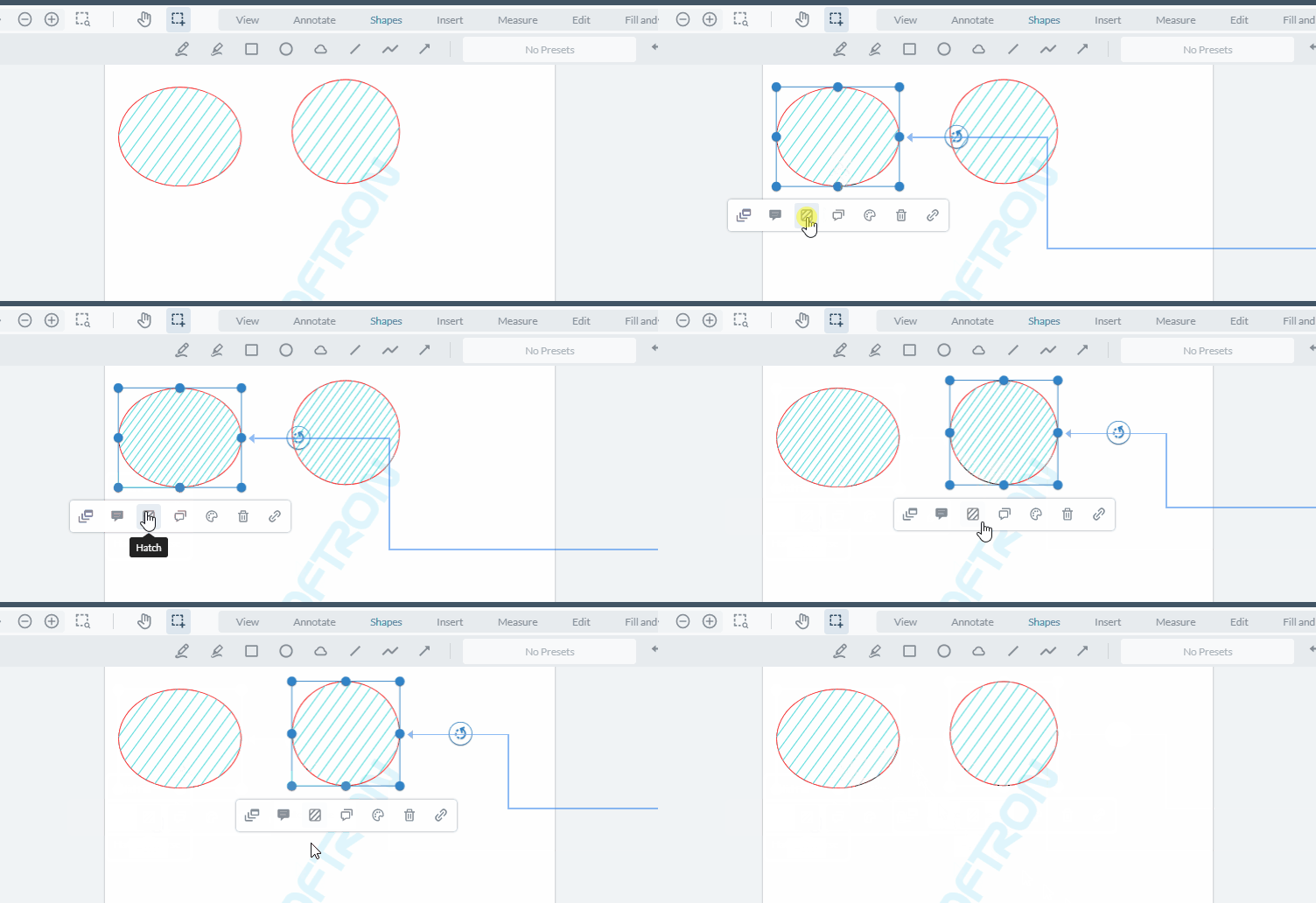
2 ) updating one type of annotation, affects same type of another annotation :
here I am sharing code snippet, for hatching. If I am changing one Ellipse, then the changes affects to another Ellipse which I’ve already hatched with different styles.
const { Core } = instance;
const annotList = Core.annotationManager.getSelectedAnnotations();
annotList.forEach(annotation => {
         annotation.setCustomData('customFillStyle', 'hatch');
         this.fillHatching(instance,annotation,optionValue); //optionValue will be : Solid Fill / Hatch - Fine / Hatch - Coarse
});

=====================================
//this method we are
fillHatching(instance, selectedAnnotation:any, value:any){
        const { Core } = instance;
        let originalColors:any = JSON.parse(localStorage.getItem('originalColors'));
        if(originalColors)
        {
            const dataAvailable = originalColors.filter(element => element.annotationID == selectedAnnotation.id);
            const indexOfObject = this.allVersions.indexOf(dataAvailable);
            originalColors.splice(indexOfObject,1);
        }
        else{
            originalColors = [];
        }
        let formValue = {
            strokeInString:selectedAnnotation.StrokeColor.toString(),
            fillInString:selectedAnnotation.FillColor.toString(),
            StrokeThickness:selectedAnnotation.StrokeThickness.toString()
        };
        let newObj={
            annotationID : selectedAnnotation.Id,
            annotationValues : formValue
        }

        originalColors.push(newObj);
        selectedAnnotation.setCustomData('originalColors', JSON.stringify(originalColors));
        localStorage.setItem('originalColors', JSON.stringify(originalColors))

        let annotationType:any;
        if(selectedAnnotation.Subject == 'Ellipse'){
            annotationType = Core.Annotations.EllipseAnnotation;
        }
        else if(selectedAnnotation.Subject == 'Rectangle'){
            annotationType = Core.Annotations.RectangleAnnotation;
        }
        else if(selectedAnnotation.Subject == 'Polygon'){
            annotationType = Core.Annotations.PolygonAnnotation;
        }
        switch (value) {
            case "Solid Fill":
                selectedAnnotation.deleteCustomData('customFillStyle');
                Core.annotationManager.redrawAnnotation(selectedAnnotation);
                Core.annotationManager.trigger('annotationChanged', [[selectedAnnotation], 'modify', {}]);
                break;
            case "Hatch - Fine":
            case "Hatch - Coarse" :
                Core.Annotations.setCustomDrawHandler(annotationType, (ctx, pageMatrix, rotation, options) => {
                    const { annotation, originalDraw } = options;
                    // && selectedAnnotation.Id !== annotation.Id
                    if (annotation.getCustomData('customFillStyle') !== 'hatch') {
                        // you can use this block if you want non-measurement ellipses to not have a hatch fill
                        originalDraw(ctx, pageMatrix);
                        return;
                    }
                    const hatchSize = (value == "Hatch - Fine") ? 10 : (value == "Hatch - Coarse" ? 16 : 0);
                    selectedAnnotation.setCustomData('hatchSize', hatchSize.toString());

                    if(annotation.Subject == 'Ellipse')
                    {
                        ctx.beginPath();
                        annotation.setStyles(ctx, pageMatrix);

                        const x = annotation.X + annotation.fringe.x1;
                        const y = annotation.Y + annotation.fringe.y1;
                        let width = annotation.getWidth() - annotation.fringe.x1 - annotation.fringe.x2;
                        let height = annotation.getHeight() - annotation.fringe.y1 - annotation.fringe.y2;

                        width = Math.max(width, 1);
                        height = Math.max(height, 1);

                        // cap the linewidth if it is higher than the width or height
                        const minDimension = Math.min(width, height);
                        if (ctx.lineWidth >= minDimension) {
                        ctx.lineWidth = Math.max(minDimension - 1, 1);
                        }

                        ctx.lineWidth *= 2;

                        const whRatio = width / height;
                        if (isNaN(whRatio) || whRatio === Infinity) {
                        return;
                        }
                        ctx.save();
                        // move annotation to (width / 2, 0), the center top point to start drawing the circle
                        ctx.translate(x + (1 - whRatio) * width / 2, y);
                        // scale the cirle to become an ellipse
                        ctx.scale(whRatio, 1);

                        ctx.beginPath();
                        // center-x, center-y, radius, start-angle, end-angle, ccw
                        ctx.arc(width * 0.5, height * 0.5, Math.max(height * 0.5, 0), 0, Math.PI * 2, false);
                        ctx.closePath();
                        ctx.restore();
                        ctx.clip();

                        ctx.stroke();

                        // uncomment the next line if you want the hatch line color to be the "FillColor" of the annotation
                        ctx.strokeStyle = ctx.fillStyle;

                        // const hatchLineWidth = 1;
                        ctx.lineWidth = annotation.StrokeThickness;
                    }
                    else if(annotation.Subject == 'Rectangle'){
                        ctx.beginPath();
                        annotation.setStyles(ctx, pageMatrix);

                        let width = annotation.getWidth() - annotation.fringe.x1 - annotation.fringe.x2;
                        let height = annotation.getHeight() - annotation.fringe.y1 - annotation.fringe.y2;

                        width = Math.max(width, 1);
                        height = Math.max(height, 1);

                        // cap the linewidth if it is higher than the width or height
                        const minDimension = Math.min(width, height);
                        if (ctx.lineWidth >= minDimension) {
                        ctx.lineWidth = Math.max(minDimension - 1, 1);
                        }

                        ctx.lineWidth *= 2;

                        const whRatio = width / height;
                        if (isNaN(whRatio) || whRatio === Infinity) {
                        return;
                        }
                        ctx.save();
                        ctx.beginPath();
                        ctx.rect(annotation.X, annotation.Y, annotation.getWidth(), annotation.getHeight());
                        ctx.closePath();
                        ctx.restore();
                        ctx.clip();

                        ctx.stroke();

                        // uncomment the next line if you want the hatch line color to be the "FillColor" of the annotation
                        ctx.strokeStyle = ctx.fillStyle;

                        // const hatchLineWidth = 1;
                        ctx.lineWidth = annotation.StrokeThickness;
                    }
                    else if(annotation.Subject == 'Polygon'){

                        annotation.setStyles(ctx, pageMatrix);

                        // uncomment the next line if you want the hatch line color to be the "FillColor" of the annotation
                        ctx.strokeStyle = ctx.fillStyle;
                        ctx.lineWidth = annotation.StrokeThickness;

                        let polygon = annotation.getPath();
                        ctx.beginPath();
                        ctx.moveTo(polygon[0].X, polygon[0].Y);

                        for(let item = 1; item < polygon.length; item++ ){
                            ctx.lineTo( polygon[item].X , polygon[item].Y )
                        }

                        ctx.closePath();
                        ctx.stroke();
                    }

                    // vertical lines
                    for (let i = annotation.X-100; i < annotation.X + annotation.Width+200; i += hatchSize) {
                        ctx.beginPath();
                        ctx.moveTo(i+140, annotation.Y-120);
                        ctx.lineTo(i-230, annotation.Y + annotation.Height+250);
                        ctx.stroke();
                    }
                });

                Core.annotationManager.redrawAnnotation(selectedAnnotation);
                Core.annotationManager.trigger('annotationChanged', [[selectedAnnotation], 'modify', {}]);

                break;

            default:
                break;
        }
    }
result :
3 ) Polygon Annotation not being drawn :
- as I shared above code snippet, you can see, I’ve used same logic for Polygon type annotations, but still its not working.
result :