Product:
WebViewer (Web SDK)
Product Version:
12.2.1 (also reproduced with 12.3.0-20261019; works in 12.1.0)
Please give a brief summary of your issue:
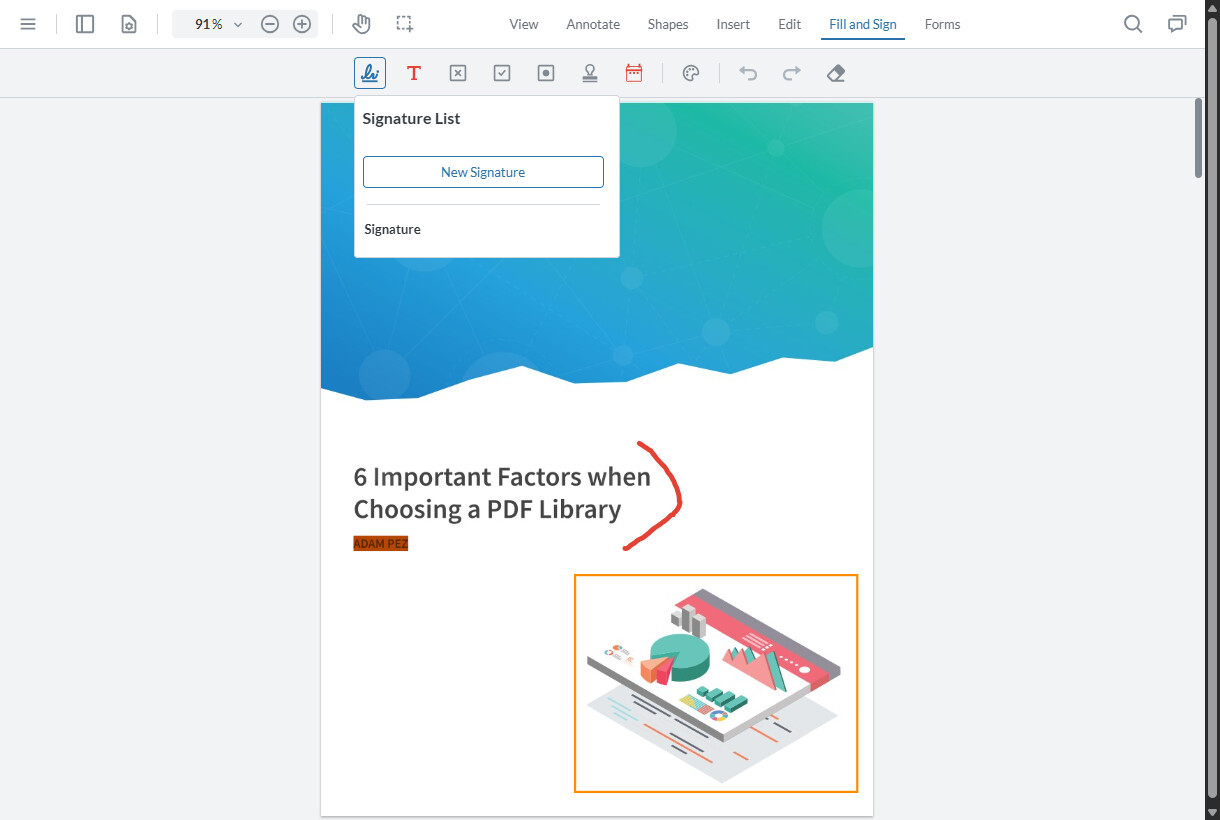
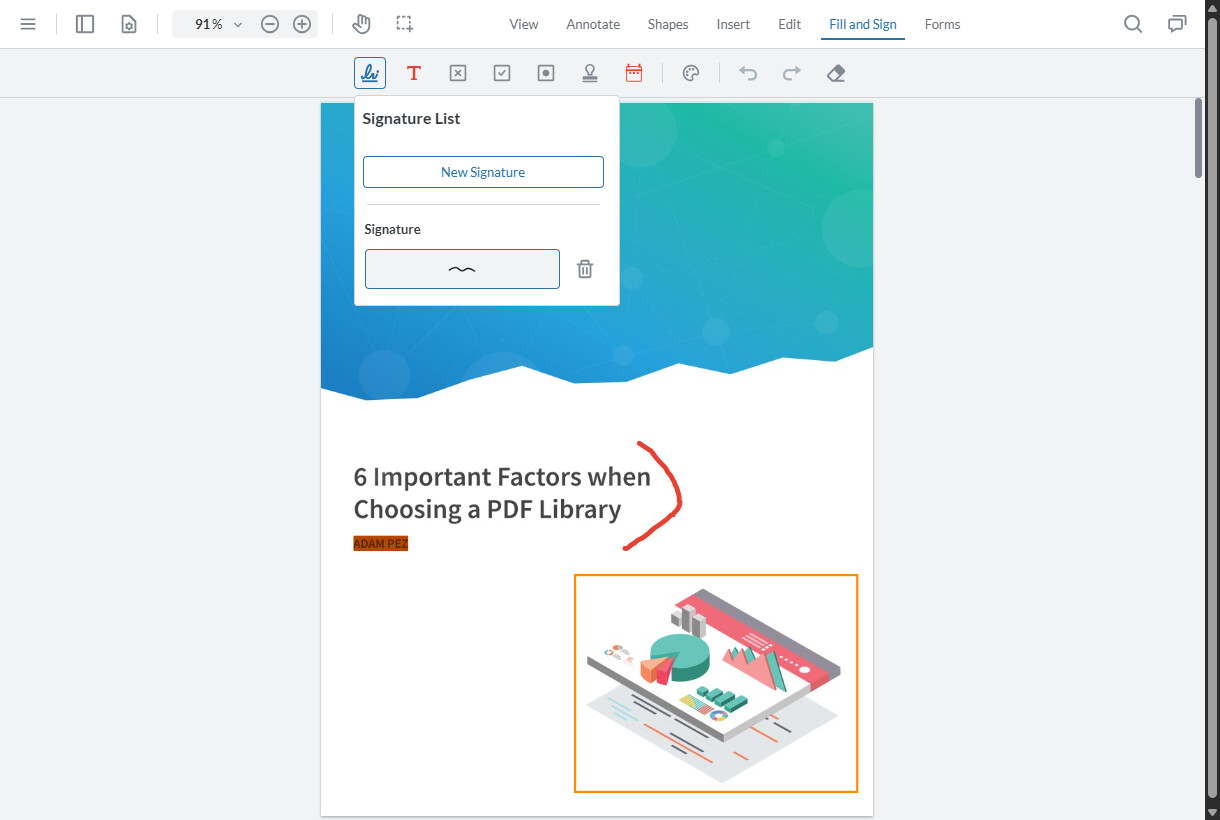
Signature list panel rendered in a flyout not showing saved signatures since 12.2
Please describe your issue and provide steps to reproduce it:
Since 12.2, when the signature list panel is rendered in a flyout (render: ‘signatureListPanel’, as described in How to Add a Flyout to a Panel in WebViewer |Apryse ), saved signatures are no longer displayed. The flyout shows the “Signature List” title, the “New Signature” button and the “Signature” column header, but no signature rows, so users cannot pick a saved signature. This happens both for signatures imported with SignatureCreateTool.importSignatures() and for signatures created with “New Signature”. The same code works in 12.1.0.
We need the flyout: our viewer is embedded in an area about 700px wide, where the side panel takes too much room.
Steps to reproduce (attached index.html):
-
Put index.html next to a “lib” folder holding WebViewer 12.2.1 (webviewer.min.js, core/, ui/) and serve the folder.
-
Open the page. Once the document has loaded, it imports one signature (the console logs “Saved signatures: 1”). It also switches to the Fill and Sign ribbon and adds this flyout:
UI.Flyouts.addFlyouts([
new UI.Components.Flyout({
dataElement: ‘signatureListFlyout’,
items: [{ dataElement: ‘signatureListPanelFlyout’, render: ‘signatureListPanel’ }]
})
]); -
Click the Signature tool in the Fill and Sign ribbon.
Expected: the flyout lists the saved signature, as in 12.1.0 (signature-flyout-12.1.0.png).
Actual: no signature row (signature-flyout-12.2.1.png). The list element is 0px tall and renders no rows.
Reproduced in Chrome with both the default web component and WebViewer.Iframe, in 12.2.1 and 12.3.0-20261019.
Likely cause, from the UI source maps: in 12.2, SavedSignatures.js renders the list with VirtualizedSignatureList (react-virtuoso), styled with “.saved-signatures-virtuoso { height: 100% }” inside flex children of .SignatureListPanel. In a flyout, “.SignatureListPanel.isFlyout” only has “max-height: 296px” and no definite height, so the Virtuoso viewport resolves to 0px and renders no items. The side panel has a real height, which is why it still works there.
Our current workaround:
.SignatureListPanel.isFlyout:has(.signature-list) { height: 300px; }
It works, but the flyout is now always 300px tall when signatures exist, leaving empty space when there is only one. Sizing the list to its content in flyout mode would restore the 12.1 behavior, for example by not virtualizing when isFlyout is set, or by sizing it from Virtuoso’s totalListHeightChanged up to the max-height.
Please provide a link to a minimal sample where the issue is reproducible:
Self-contained sample attached as index.html (it needs WebViewer’s “lib” folder next to it, as in the WebViewer download). Screenshots attached: signature-flyout-12.1.0.png (working) and signature-flyout-12.2.1.png (broken).
index.html (2.0 KB)