Do you have an issue with a specific file(s)? - No
Can you reproduce using one of our samples or online demos? - No
Are you using the WebViewer server? - No
Does the issue only happen on certain browsers? - No
Is your issue related to a front-end framework? - No
Is your issue related to annotations? - Yes
Using switchToAutoFontSize() interferes with the alignment of the text.
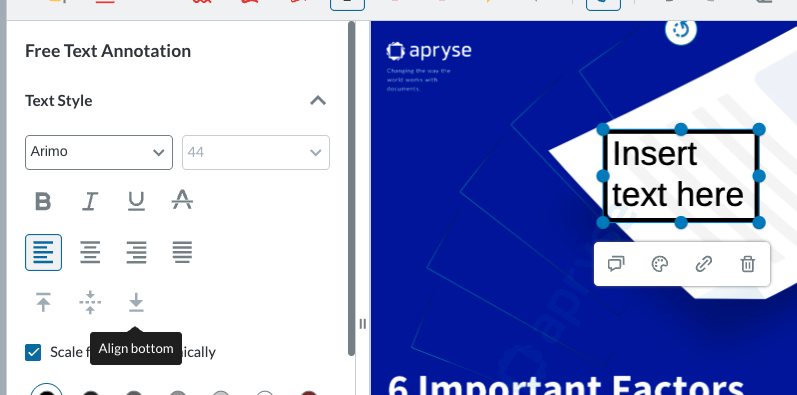
When I use the switchToAutoFontSize() function on a freetext field, the code TextVerticalAlign = “bottom” does not work and the text is forced to the top of the annotation field. There seems to be no workarounds with this.
This is expected behaviour. When Auto Font Size is enabled for a FreeText annotation, vertical alignment options are disabled. You can observe the same behavior in the Style panel, where enabling Auto Font Size prevents vertical alignment from being selected.
As the font size is dynamically adjusted to fill the annotation bounds, the TextVerticalAlign property is not applied and the text is rendered aligned to the top of the annotation.
Thank you for the answer. But I am still curious why is that necessary. Also, when the auto font size is enabled I cannot see what I am typing until I click outside.