Please give a brief summary of your issue:
Difficulty deleting free text annotations with attached references; exploring a simpler deletion method.
Please describe your issue and provide steps to reproduce it:
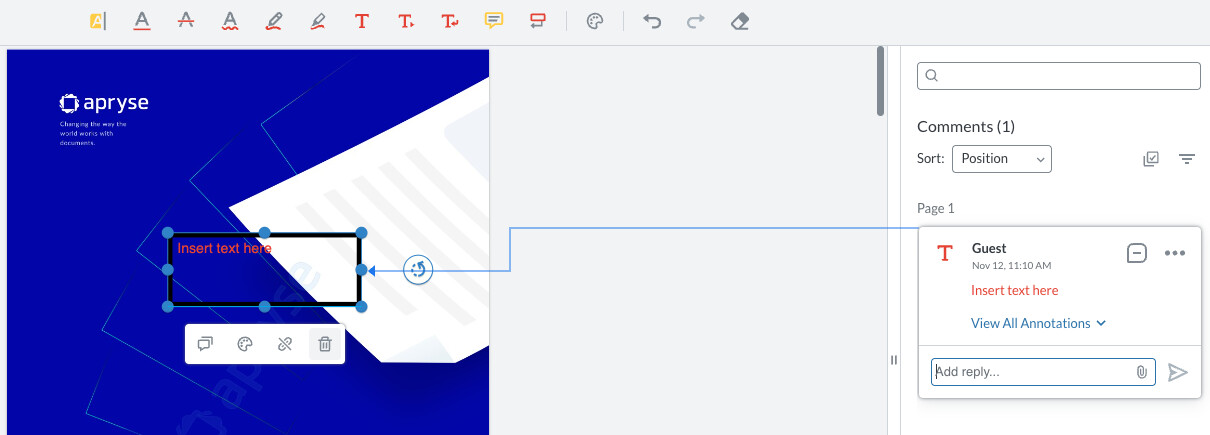
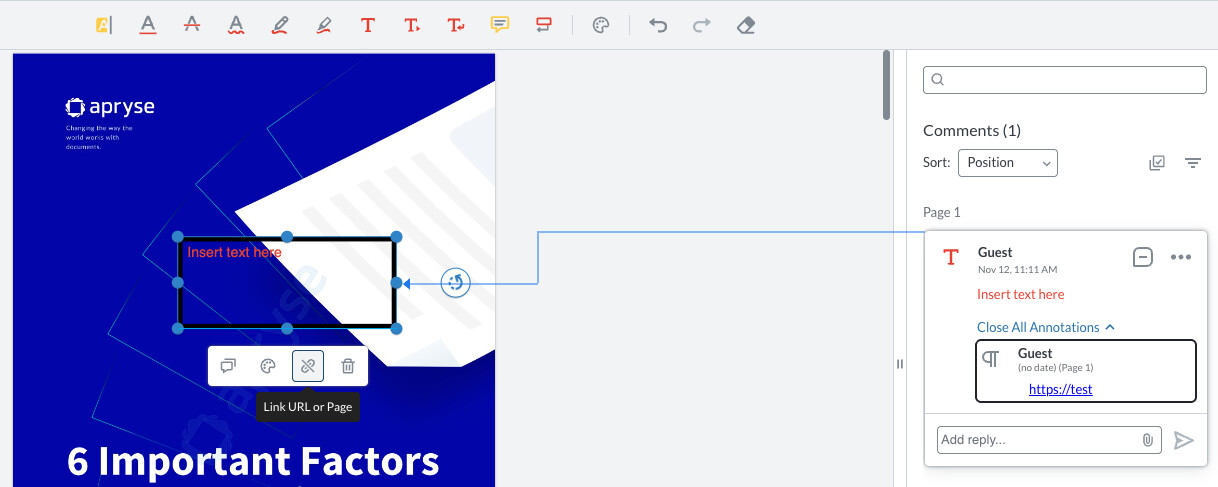
When a free text annotation has a reference or link attached, it is not easy to delete. The current workflow requires multiple steps:
Add a free text annotation to the PDF.
Attach a reference or link to the annotation.
Attempt to delete the reference directly from the annotation.
Expected behavior:
A simple, intuitive way to delete references, such as a delete button that appears on hover or in the right-hand side (RHS) panel.
Please provide a link to a minimal sample where the issue is reproducible:
This can be reproduced in any standard Apryse WebViewer setup using free text annotations with links.
Hello, I’m AiRon, an automated tech support bot While you wait for one of our customer support representatives, I can help you with your question.
It seems like you’re looking to simplify the process of deleting references from free text annotations in WebViewer. This can be achieved by customizing the user interface to add a delete button in the RHS panel for annotations with references.
Some things you can try:
Customize the WebViewer UI to add a button in the annotation panel.
Use the annotation manager to detect when a free text annotation is selected and check for references.
Implement a button click event that removes the reference from the selected annotation.
Here are some resources that might help you:
Creating Annotations: Learn how to create and manage annotations, including free text annotations.
FreeText & Callout Annotations: Understand the structure of free text annotations, which will help in managing references.
Changing languages in WebViewer UI: While this is about languages, it includes guidance on customizing the WebViewer UI, which is relevant for adding buttons.
Hopefully, this helps you solve your problem while you wait for a human to get back to you.