Please give a brief summary of your issue:
Border is added empty cells in xlsx file, when loading xlsx blob. I integrated apryse in angular application.
Please describe your issue and provide steps to reproduce it:
I am loading a xlsx blob file to to webviewer. after loading border is added to empty cells. Code is as below
WebViewer({
path: ‘../../lib/webviewer’,
licenseKey: this.commonService.aspyreKey,
initialDoc: ‘’,
// enableFilePicker: true,
fullAPI: true,
css: ‘assets/css/webviewer.css’
}, this.viewer.nativeElement).then(instance => {
this.viewerInstance = instance;
const { UI } = instance;
UI.disableElements([
‘toolbarGroup-View’, // entire View menu
‘toolbarGroup-Edit’, // entire Edit menu
‘toolbarGroup-Annotate’, // entire Annotate menu
‘toolbarGroup-FillAndSign’,
‘toolbarGroup-Shapes’,
‘toolbarGroup-Insert’,
‘menuOverlay’, // context menu
‘downloadButton’, // single button
‘toolbarGroup-Edit’,
‘toolbarGroup-Forms’,
‘panToolButton’
]);
const file = new File([this.file], ‘document.xlsx’, { type: this.file.type });
instance.UI.loadDocument(file);
})
Hello, I’m AiRon, an automated tech support bot While you wait for one of our customer support representatives, I can help you with your question.
It seems like you’re experiencing an issue where borders are being added to empty cells when loading an XLSX file as a blob in your Angular application using Apryse’s Web SDK. This could be due to the default styling applied to the spreadsheet cells when rendered.
Some things you can try:
Ensure that the styling of cells, particularly for borders, is correctly set before loading the document. If the default settings are adding borders, you might need to explicitly set the styles for empty cells using the API.
Use the Cell.setStyle API to modify the cell styles programmatically after loading the document.
Check if the CSS applied via webviewer.css is affecting the rendering of your spreadsheet cells and adjust as necessary.
Ensure the enableOfficeEditing option is set to true if you are switching from the PDF editor to the spreadsheet editor.
webviewer-core.min.js:226 Your server has not been configured to serve WebAssembly threads.
(anonymous) @ webviewer-ui.min.js:1Understand this warning
18[Intervention] Slow network is detected. See for more details. Fallback font will be used while loading:
OfficeWorker.js:39 There may be some degradation of performance. Your server has not been configured to serve .gz. and .br. files with the expected Content-Encoding.
fetchSelf @ OfficeWorker.js:122
k.onmessage @ OfficeWorker.js:122Understand this warning
OfficeWorker.js:39 There may be some degradation of performance. Your server has not been configured to serve .gz. and .br. files with the expected Content-Encoding.
k.onmessage @ OfficeWorker.js:122Understand this warning
PDFworker.js:44 There may be some degradation of performance. Your server has not been configured to serve .gz. and .br. files with the expected Content-Encoding.
f.onmessage @ PDFworker.js:282Understand this warning
PDFworker.js:44 There may be some degradation of performance. Your server has not been configured to serve .gz. and .br. files with the expected Content-Encoding.
No network failings
i can not reproduce in your site, because i am loading file from blob.
all devices I am getting this issue
I am using WEB Viewer SDK in angular application.
yes I am able to reproduce.
and when i am downloading the file using javascript, this issue is not reproducing
To take a closer look at the issue, please also provide the source XLSX file (the file used in the original screenshot) that you are loading in as a blob so that we can try to reproduce the issue on our end.
Additionally, if there are any other files that can reproduce this issue, feel free to provide those as well.
Best Regards,
Jacob Romano Carlsen
Web Development Support Engineer Apryse Software Inc.
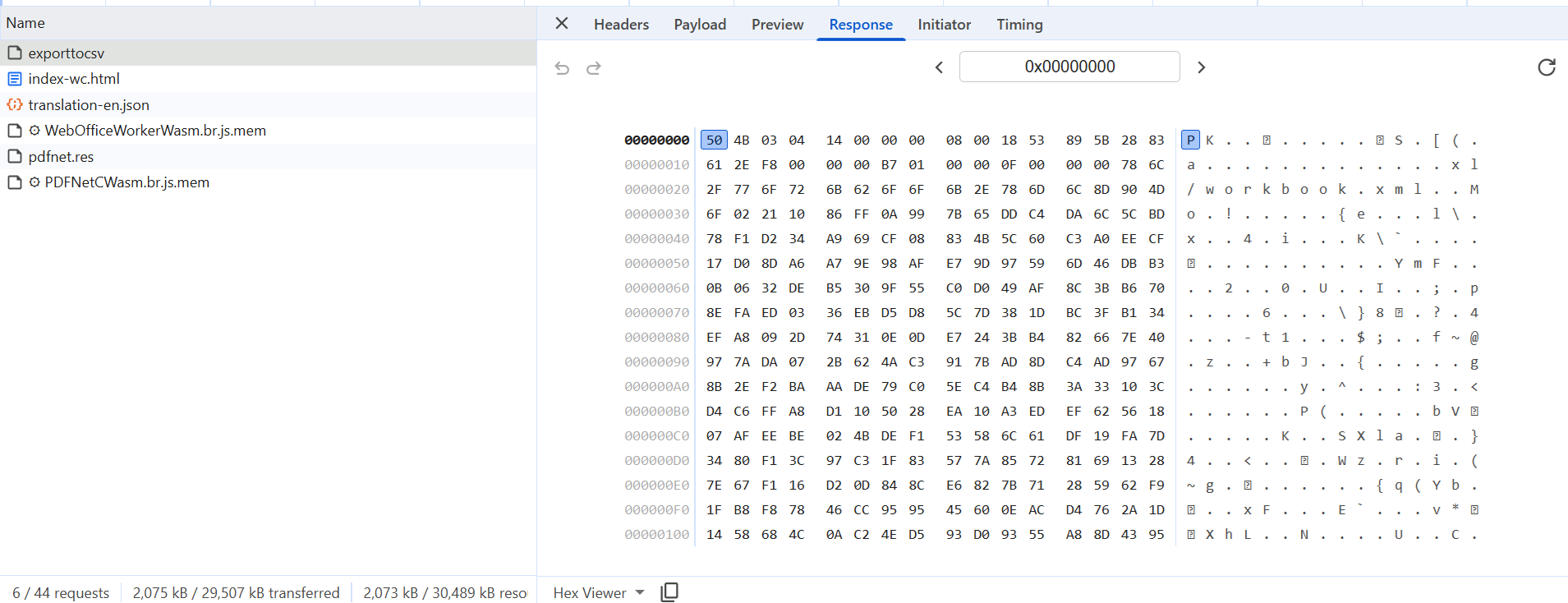
Attached is the response i am getting from the API. so i converted it to xlsx file using below code
const file = new File([this.file], ‘document.xlsx’, { type: this.file.type });
instance.UI.loadDocument(file);
here this.file is the response shown in Image.
please tell me, how i can send that response
If that does not resolve your issue, we will need to test the document on our end. Please provide a public URL that we can fetch the .xlsx file from or the raw XLSX file itself. Something like the following: https://pdftron.s3.amazonaws.com/downloads/pl/invoice_template.xlsx
Best Regards,
Jacob Romano Carlsen
Web Development Support Engineer Apryse Software Inc.

 While you wait for one of our customer support representatives, I can help you with your question.