WebViewer Version: 11.7.2
Do you have an issue with a specific file(s)? No
Can you reproduce using one of our samples or online demos? No
Are you using the WebViewer server? No
Does the issue only happen on certain browsers? No
Is your issue related to a front-end framework? No
Is your issue related to annotations? No
Please give a brief summary of your issue:
Can we update the note panel functionality so it can load the annotation in chunk or on scroll
Please describe your issue and provide steps to reproduce it:
Background / Current Behavior
In our application, we are using Apryse WebViewer with a document that can contain a very large number of annotations (thousands in some cases).
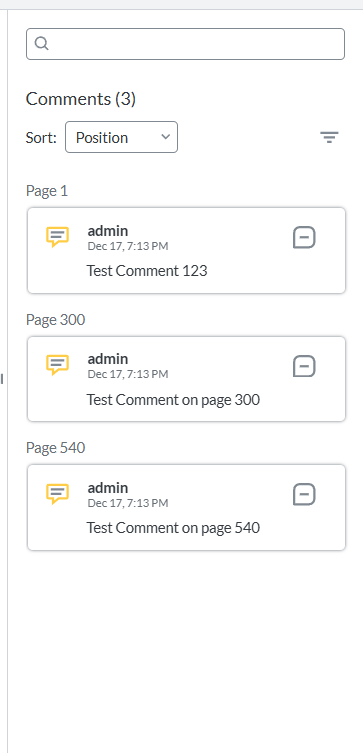
Currently, the Notes Panel loads all annotations at once when:
- The document finishes loading, or
- The Notes Panel is opened
This causes the following issues:
- Significant UI lag / freezing when large annotation sets exist
- High memory usage in the browser
- Slow initial render of the Notes Panel
- Poor user experience for documents with long annotation histories
Observed Limitation
From our investigation:
- The Notes Panel internally renders the full annotation list eagerly
- There is no built-in pagination, chunking, or virtualized rendering
- The annotation list grows linearly and becomes expensive to render
Even if annotations are already imported efficiently, the Notes Panel UI rendering becomes the bottleneck.
Requested Enhancement
We would like to know if it is possible to update or extend the Notes Panel behavior so that annotations can be loaded:
 In Chunks (Pagination)
- Load an initial batch (e.g. 50–100 annotations)
- Load the next batch only when requested (scroll / pagination / API call)
 On Scroll (Lazy / Virtualized Rendering)
- Render only the annotations that are currently visible
- Load additional annotations when the user scrolls down
- Similar to “infinite scroll” or virtual list behavior
Why This Is Needed
Performance Benefits
- Faster Notes Panel opening
- Reduced DOM size
- Lower memory usage
- Smooth scrolling experience
UX Benefits
- No freezing when documents contain thousands of annotations
- Faster access to recent annotations
- Scales well for enterprise-level documents
Please provide a link to a minimal sample where the issue is reproducible:
 While you wait for one of our customer support representatives, I can help you with your question.