Please give a brief summary of your issue:
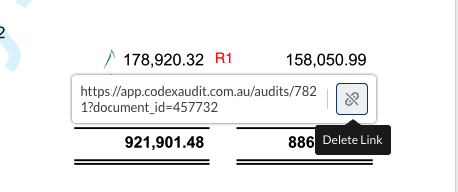
Cannot delete annotations with links all at once; annotations with links selection fails after clicking cancel on the prompt.
Please describe your issue and provide steps to reproduce it: Steps to reproduce:
Open a document with an annotation containing links.
Click on the referencing annotation.
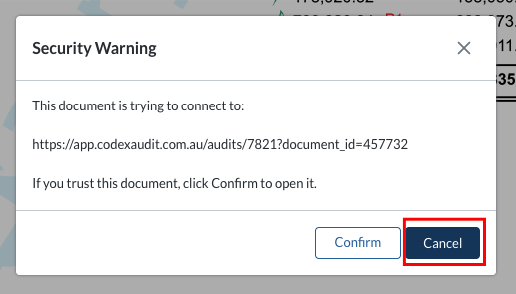
Observe that a prompt appears asking to open the link.
Press Cancel.
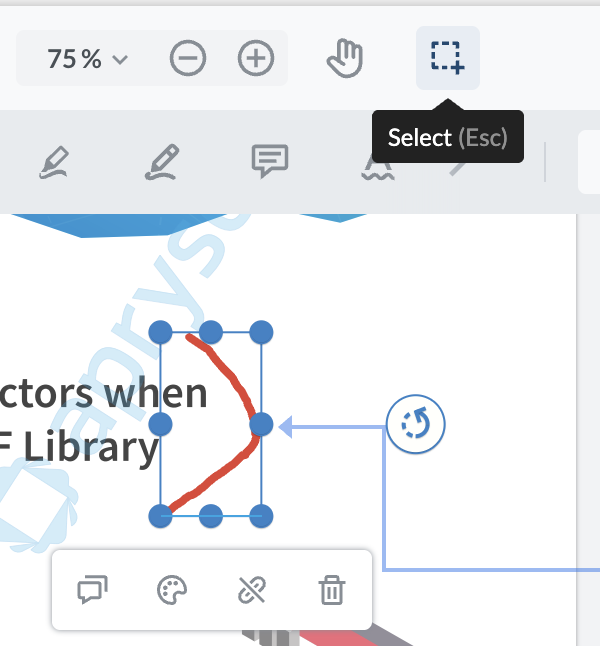
Note that the referencing annotation is not selected and cannot be deleted along with the annotation.
The issue occurs when trying to delete an annotation that contains links. Currently, it is not possible to delete the annotation and its linked references at the same time.
Additionally, when clicking the referencing annotation, the system prompts to open the link. If Cancel is pressed, the referencing annotation is not selected at all, making it impossible to delete it along with the original annotation.
Please provide a link to a minimal sample where the issue is reproducible:
Hello, I’m AiRon, an automated tech support bot While you wait for one of our customer support representatives, I can help you with your question.
It seems you’re encountering an issue with deleting link annotations in WebViewer when interacting with the link prompt. The problem arises because the prompt interrupts the selection process, making it difficult to delete the annotation and its links simultaneously.
Some things you can try:
Use the deleteAnnotations method to programmatically remove annotations, including those with links. This can bypass the prompt issue.
Consider using a custom context menu or UI control to handle deletion, which can manage selection and deletion without triggering the link prompt.
Modify your event handling logic to ensure that the annotation remains selected after canceling the prompt, allowing you to execute the delete function.
Here are some resources that might help you:
Content Edit Guide: Learn how to manage and edit annotations, including link annotations.
Import/Export Annotations: Understand how to work with annotations in a database, which might help in managing deletion.