Product: pdftron/webviewer
Product Version: 8.8.0
Please give a brief summary of your issue:
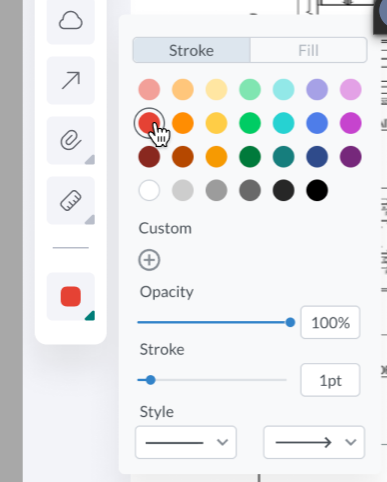
We want to implement the custom WebViewer main panel UI. Is it possible to somehow reuse the existing color options panel but in an arbitrary place on the page (new custom panel UI)? Or in that case we would need to re-implement it entirely ourselves?
Hi Volodymyr.
Are you trying to implement a custom component by forking the UI or by using existing APIs?
If you are forking the UI, you could reuse the component: ColorPalette
Otherwise, if you could clarify exactly what you want to do and why, it might help us find a workaround.
Best Regards,
Mickaël
Hi Mickael,
We use a regular node dependency, and want to implement external UI panel (outside WebViewer) that does basically the same as the standard one does, just using our own UI variant with buttons & submenus.

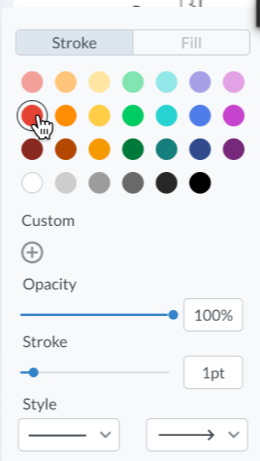
Clicking every button should set the respective tool to the WebViewer and it can be achieved by invoking the respective methods on WebViewer instance. All is good until it comes down to selecting a color. Native WebViewer UI panel has the panel for that:
I suspect in case we want such panel, we would need to implement it ourselves and there’s no means to reuse the one that’s bundled with WebViewer?
Hi Volodymyr.
Thank you for your reply.
Yes, that would be the case. Especially since the ColorPalette is setting the color for a specific type of annotation. For instance, setting the color to red on Shapes won’t set the color red for other types of annotations, which seems to be what you are aiming for.
Should be quite easy to implement it yourself since you have access to the component from the UI Repository.
Let us know if you have a question.
Best Regards,
Mickaël.
Can you elaborate how do I use the existing ColorPalette component and how to bind it to our WebViewer instance? Our frontend is written on Vue3 and I can see the UI repository is built with React.
Hi Volodymyr,
Thank you for your reply.
I’m sorry if I was not clear enough.
There is no built-in way to reuse the component. The best solution here would be to create your own Vue component, but since you have access to the code from the UI repository, you should be able to do that pretty quickly, following the logic code.
Let me know if you have any questions.
Best Regards,
Mickaël.
1 Like