Please give a brief summary of your issue:
Consoler errors when using Modular UI
Please describe your issue and provide steps to reproduce it:
(The more descriptive your answer, the faster we are able to help you)
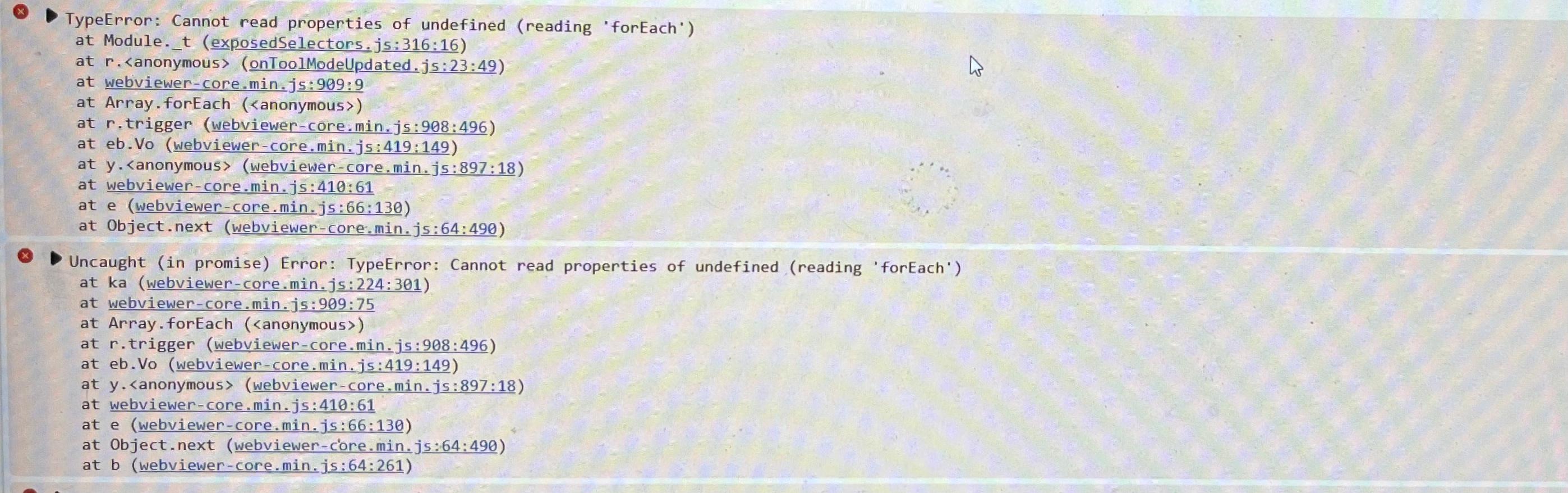
I have recently migrated our Angular web application to use Modular UI from Legacy in webviewer version 11.4.0. But I get few console warnings and errors continuously when I scroll the pages. I don’t see any functionality break as of now. Everything works fine. But I want to know below things.
What could be the potential reasons for the console warnings?
What could be the potential reasons for the console errors?
Will there be any functional impact because of these errors?
Please provide a link to a minimal sample where the issue is reproducible:
I cannot give sample link now because of organization compliance. However I am pasting few snapshots for your reference.
Hello, I’m AiRon, an automated tech support bot While you wait for one of our customer support representatives, I can help you with your question.
It sounds like you’re experiencing console warnings and errors after migrating to the Modular UI in WebViewer version 11.4.0. These messages can often be attributed to configuration issues or deprecated features that might not affect current functionality but could lead to problems in future updates.
Some things you can try:
Ensure your Modular UI configuration is correctly formatted by reviewing your JSON setup.
Check if all necessary properties for Modular Components, Headers, Flyouts, and Panels are correctly defined.
Review the console messages to identify specific components or properties causing the warnings or errors.
Consider updating to the latest version if possible, as updates often address known issues.
Here are some resources that might help you:
UI Import and Export: Learn how to correctly import and configure Modular UI components.
The warnings should be armless; it happens when interacting with modular UI items that already exist; it updates existing instead of duplicating, which should not be a problem.
However, for the console error, it could potentially be an issue, but I’m afraid I won’t be able to point out why you have them without any code or how they are triggered.
Does it only happen when scrolling down the pages? On specific documents or all of them?
Have you tried upgrading to the latest version to see if that resolves this issue?