Can you reproduce using one of our samples or online demos?
No, the online demo cannot preview Song typeface normally.
Are you using the WebViewer server?
No
Does the issue only happen on certain browsers?
I conducted tests on Chrome, Firefox, and Edge, and all encountered the same issue.
Is your issue related to a front-end framework?
No
Is your issue related to annotations?
No
Please give a brief summary of your issue:
(Think of this as an email subject)
The content of the file downloaded using the downloadPdf function is inconsistent with the preview content.
Please describe your issue and provide steps to reproduce it:
(The more descriptive your answer, the faster we are able to help you)
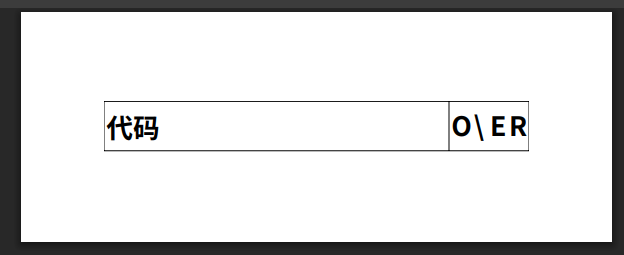
I have an xls file that displays normally in preview, but the downloaded pdf file using the downloadPdf function contains unreadable characters. The font of the unreadable characters is Song typeface.
I tried upgrading WebViewer to version 12.1.0, but the same issue occurred.
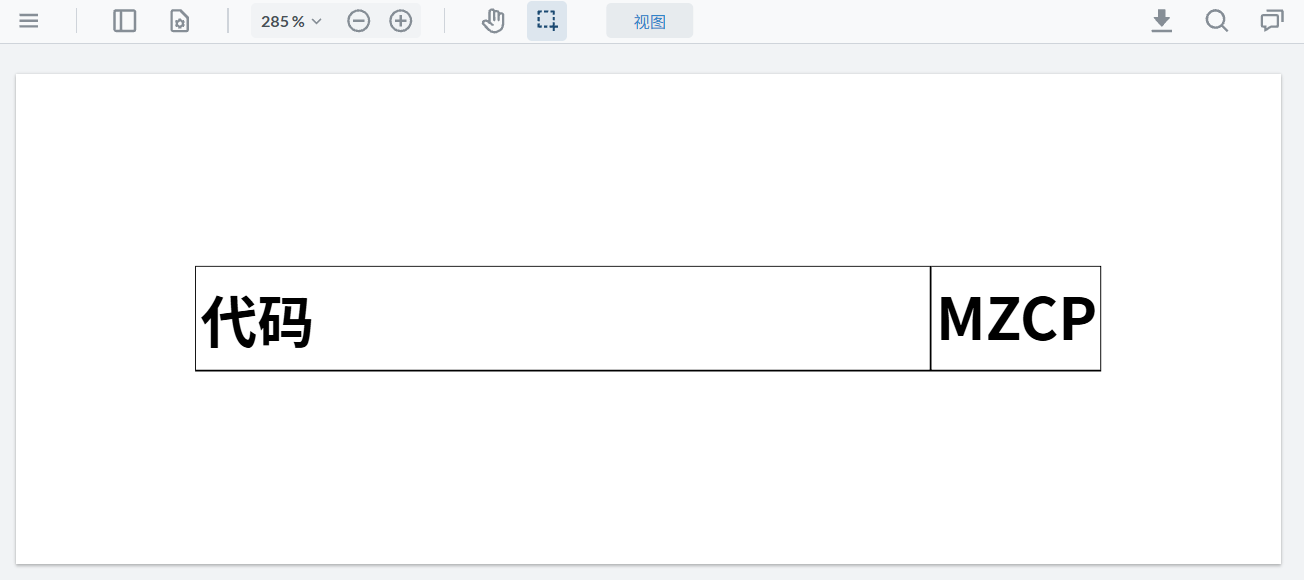
The image below shows the content displayed during preview:
When downloading the XLS file, WebViewer makes a conversion to PDF and needs access to the fonts used in the original document, otherwise it will use the default font substitution fallback. You can either:
I don’t know how to embed a font file into an XLS file.
I have tested using Self-serving substitute fonts, but it didn’t work. It only took effect in the preview of this file.
You mentioned use the default font. Can I specify the default font through configuration?
If it’s due to an unrecognized font issue, then why does it display normally during preview but appears as messy code when downloaded? What I’m puzzled about is that, as shown in the screenshot, not all Song typeface text encounters this issue.
Downloading is part of a conversion process to PDF and handles fonts differently from viewing it. You will need to supply the font with font substitution if it isn’t embedded in the document. To investigate, can you provide the WebFonts you used for font substitution?
The URL provided is our default Apryse webfont server. For this document, you will need to add and include the related font used (Song typeface) to the fonts.json and target the exact Unicode mapping so both rendering paths (viewer and download) can refer to the correct and same font.