Hello @jackson.tong,
In order to hide the “Page Layout” section of our “View Controls” flyout, we recommend the setItems() API to override which items will be in that flyout. Please try using the documentLoaded event and seeing if that resolves the issue.
An example would look like this:
  instance.Core.documentViewer.addEventListener('documentLoaded', async () => {
    console.log('document loaded');
    const viewControlsFlyout = instance.UI.Flyouts.getFlyout('viewControlsFlyout');
    // remove items at indices 7-11 (zero-based), aka the items in the "Page Layout" section
    viewControlsFlyout.setItems(viewControlsFlyout.items.filter((item, index) => index < 7 || index > 11));
  });
The result should look like this:
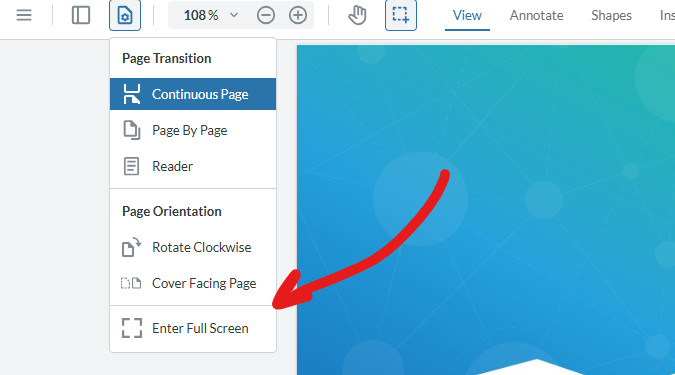
For more information on modifying flyouts, see our guide here: https://docs.apryse.com/web/guides/modular-ui/flyouts
Let us know if this works for you!
Best Regards,
Jacob Romano Carlsen
Web Development Support Engineer
Apryse Software Inc.