Do you have an issue with a specific file(s)?
Can you reproduce using one of our samples or online demos?
Are you using the WebViewer server?
Does the issue only happen on certain browsers?
Is your issue related to a front-end framework?
Is your issue related to annotations?
Please give a brief summary of your issue:
(Think of this as an email subject)
How do I add a button to the header in Docx Editor?
Please describe your issue and provide steps to reproduce it:
(The more descriptive your answer, the faster we are able to help you)
As shown in the above code, I want to add Undo & Redo Button to the header, but PDF File Viewer generates those buttons well. But when I load Docx files, the above buttons are not generated, do I have to use other methods in Docx Viewer?
Please provide a link to a minimal sample where the issue is reproducible:
Hello, I’m AiRon, an automated tech support bot While you wait for one of our customer support representatives, I can help you with your question.
To add buttons like “Undo” and “Redo” to the header in the Docx Editor using WebViewer, especially in version 11.4.0, you need to ensure that the buttons are compatible with the context of the document type being edited. The Docx Editor may have a different configuration or set of available buttons, thus requiring a slightly different approach.
Some things you can try:
Ensure that the buttons you are trying to add are compatible with the Docx Editor’s configuration. They might require different identifiers or properties when used in a Docx context.
Check if the Docx Editor has specific APIs or preset buttons designed for text editing tasks, such as undo or redo.
Review the configuration settings for the Docx Editor to ensure that any custom buttons are being appropriately initialized and added to the UI.
Consult the documentation to verify the correct usage of APIs for adding buttons to the header in the Docx Editor.
Here are some resources that might help you:
DOCX Editor Overview - Provides a general overview of the Docx Editor capabilities.
The code you provided seems to be working fine. I am able to see the buttons appended to the main header. You can also wrap it inside a viewerLoaded listener to ensure changes get applied:
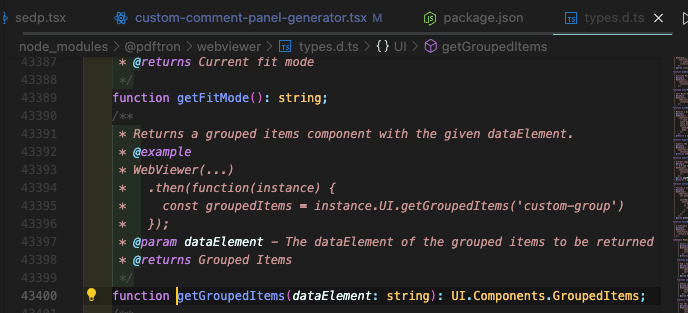
That is correct, this API was introduced in 11.5. I would recommend updating to this version or the latest and seeing if the suggested code implementation works for you. Our change-log covering the API change can be found here: Version 11.5.0 Changelog (2025-05-28) | Apryse documentation
If you are unable to update, you will need to customize it prior to the 11.5 update which requires you to fetch the default header and iterating through the array to find the grouped items.