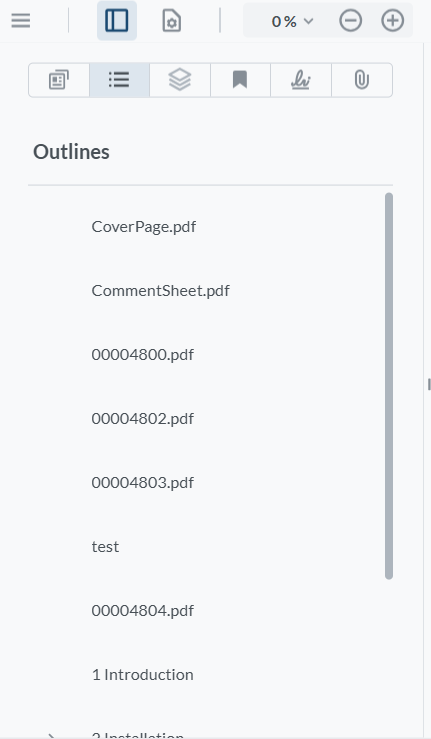
WebViewer Version: 11.8.0
How can i enable the add and edit button in webviewer UI in the outlines panel?
This was enabled in version 11.3.0 but after upgrading to 11.8.0, i noticed that these options were disabled.
WebViewer Version: 11.8.0
How can i enable the add and edit button in webviewer UI in the outlines panel?
This was enabled in version 11.3.0 but after upgrading to 11.8.0, i noticed that these options were disabled.
Hello, I’m AiRon, an automated tech support bot 
While you wait for one of our customer support representatives, I can help you with your question.
Hopefully, this helps you solve your problem while you wait for a human to get back to you.
Hello Zaid,
Thank you contacting Apryse Forums.
You need to have fullAPI enabled to add and edit outlines. Add this to your WebViewer constructor.
fullAPI: true,
Best Regards,
Darian
I do have fullApi set to True, there are no changes from 11.3.0 to 11.8.0 in the constructor. Only the add and edit outlines button is missing from the outlines panel. Were there any changes made to enable/disable these ui elements? And how do i enable them now?
Hello zaid.jeelani,
Adding the fullAPI: true should be the only step necessary. Can you provide a screenshot and code snippet of what you have so far?
Best regards,
Tyler