Do you have an issue with a specific file(s)?
Can you reproduce using one of our samples or online demos?
Are you using the WebViewer server?
Does the issue only happen on certain browsers?
Is your issue related to a front-end framework?
Is your issue related to annotations?
Please give a brief summary of your issue: No values are selected in the office editor.
(Think of this as an email subject)
Please describe your issue and provide steps to reproduce it:
(The more descriptive your answer, the faster we are able to help you)
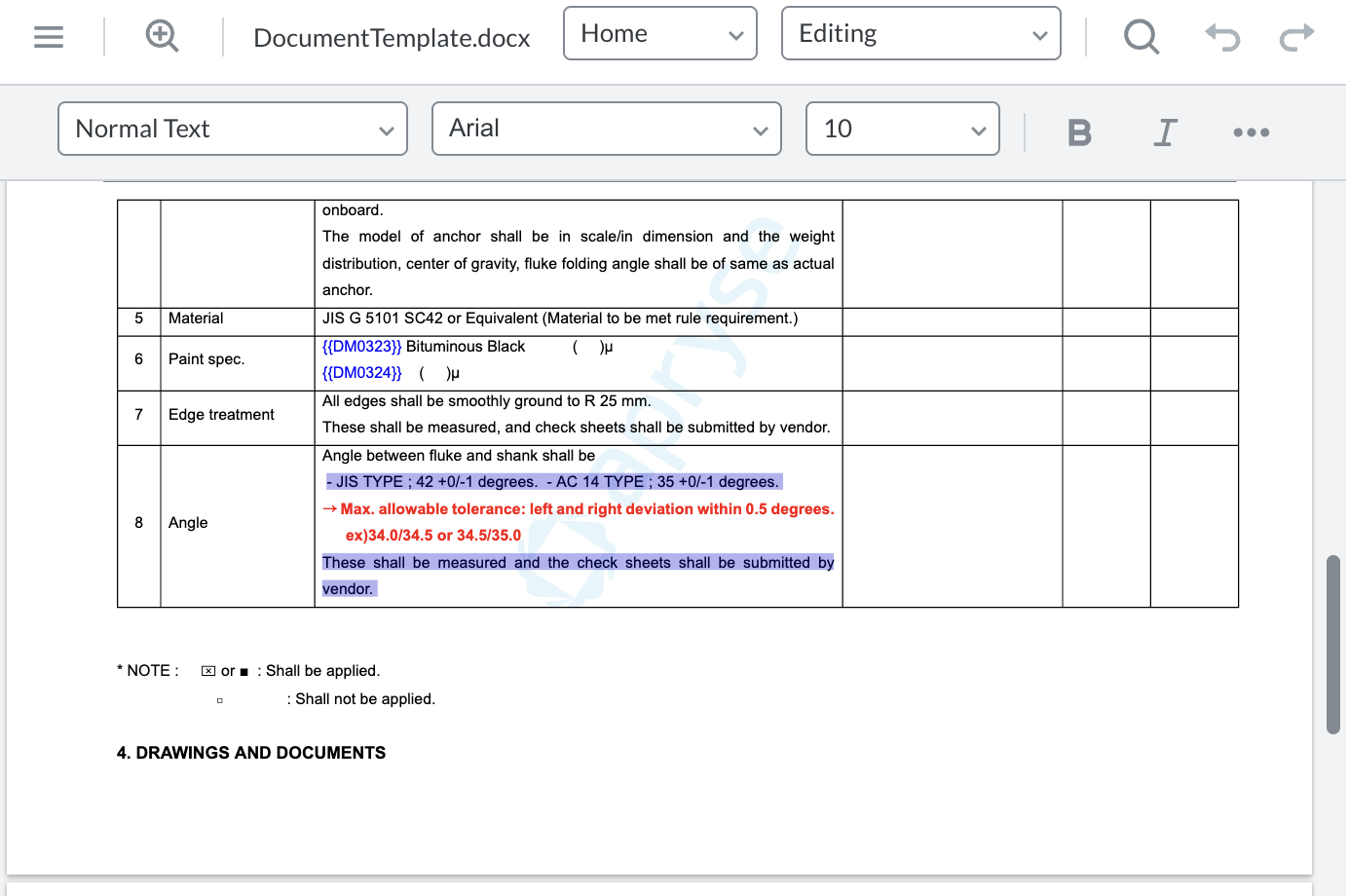
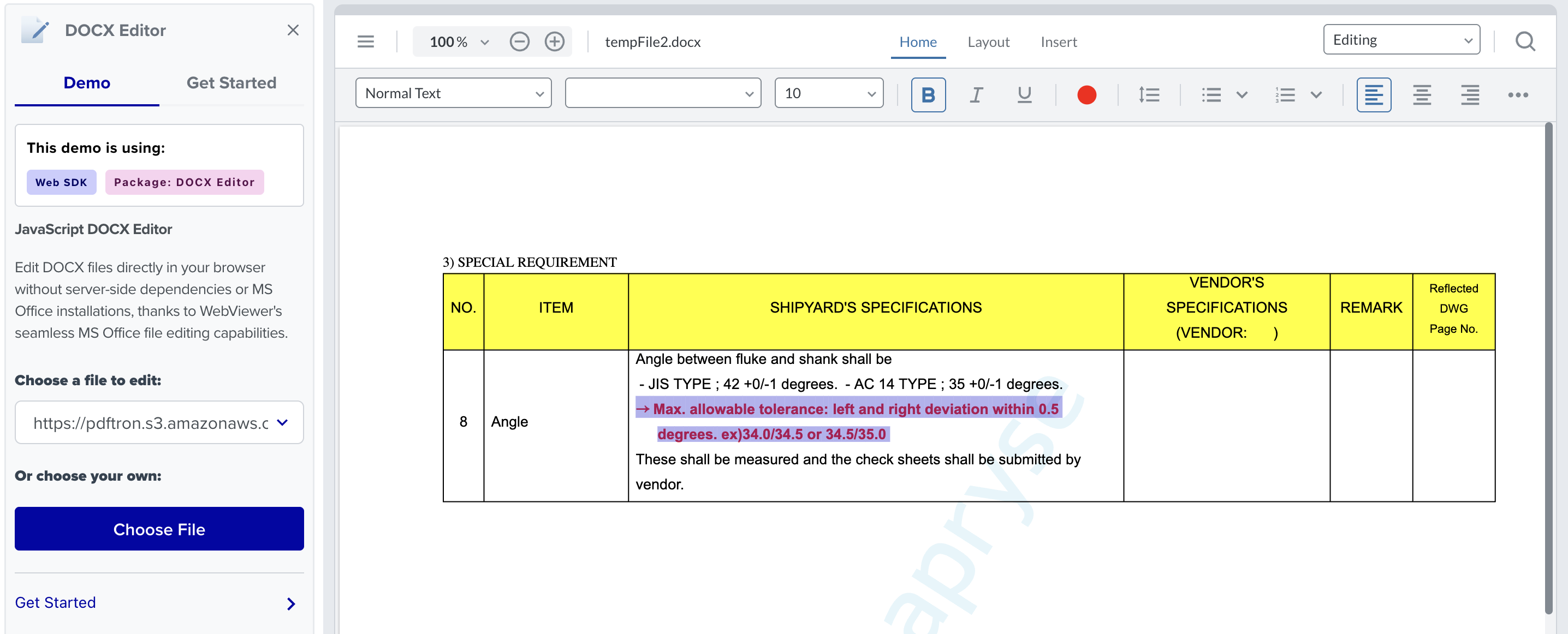
As shown in the attached photo below, Office Editor drags to select the area, but only the section with red letters cannot be selected. How do I solve this?
Hello, I’m AiRon, an automated tech support bot While you wait for one of our customer support representatives, I can help you with your question.
It sounds like you’re experiencing an issue with text selection in the office editor feature of WebViewer. This could be related to how the text is rendered or possibly due to the configuration of the editor.
Some things you can try:
Ensure that your WebViewer is correctly configured and initialized with the necessary office editor options.
Check if there’s any CSS or JavaScript interfering with the text selection functionality.
Try reproducing the issue with a different file or using one of Apryse’s sample files to determine if it’s file-specific.
Test the functionality across different browsers to see if the issue persists.
Verify that you are using the latest version of WebViewer and that all dependencies are correctly installed.