Hello, I’m AiRon, an automated tech support bot While you wait for one of our customer support representatives, I can help you with your question.
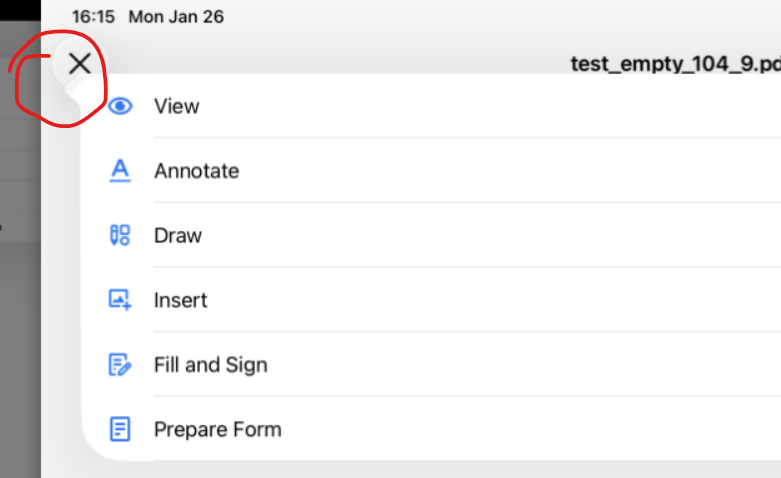
It sounds like you’re experiencing an issue with the context menu in the PTDocumentController on iOS. This might be due to how the UI components are configured or rendered, especially on larger screens like the iPad. The context menu should appear near the item it is related to, but if it’s appearing in the wrong place, it might be due to layout constraints or view hierarchy issues.
Some things you can try:
Ensure that the PTDocumentController is properly initialized and that its view hierarchy is set up correctly.
Check if there are any custom layout constraints or modifications in the view that might affect where the context menu appears.
Update your app to use the latest version of the Apryse SDK, as there might be fixes or improvements in newer versions that address this issue.
Consider integrating the new Viewer UI if you’re using an older version, as it provides more flexibility and customization options.
Thank you for your response. You can turn off liquid glass following the provided forum post: Disabling Liquid Glass - #3 by system
Please let me know if this helps address your concern.