WebViewer Version: 12.0.1
Do you have an issue with a specific file(s)?
No
Can you reproduce using one of our samples or online demos?
Yes (https://showcase.apryse.com)
Are you using the WebViewer server?
No
Does the issue only happen on certain browsers?
No
Is your issue related to a front-end framework?
No
Is your issue related to annotations?
Signature Widget Annotations
Please give a brief summary of your issue:
“Sign here” is printed when field isn’t signed
Please describe your issue and provide steps to reproduce it:
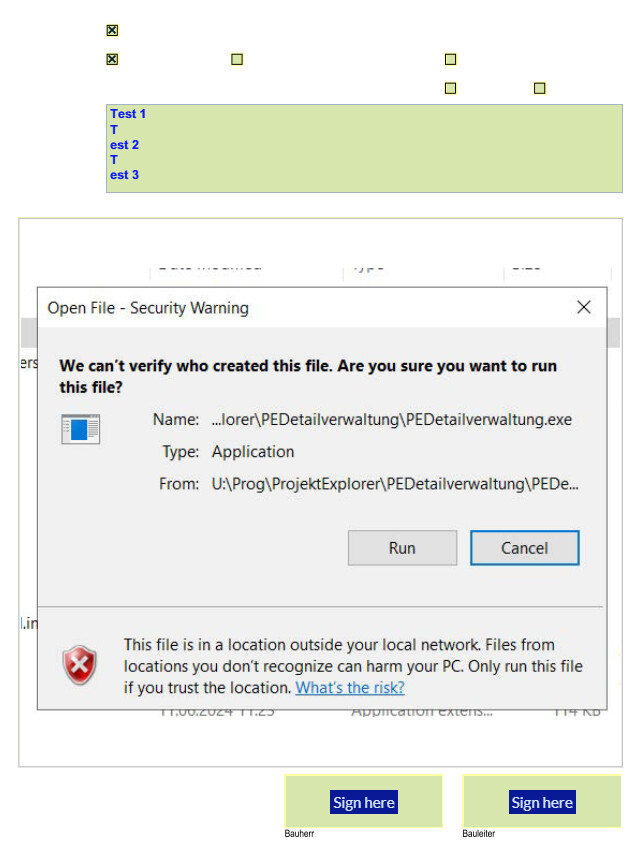
We have a bunch of Documents where we have fields for signing. The form fields are highlighted in the browser as you can see here:
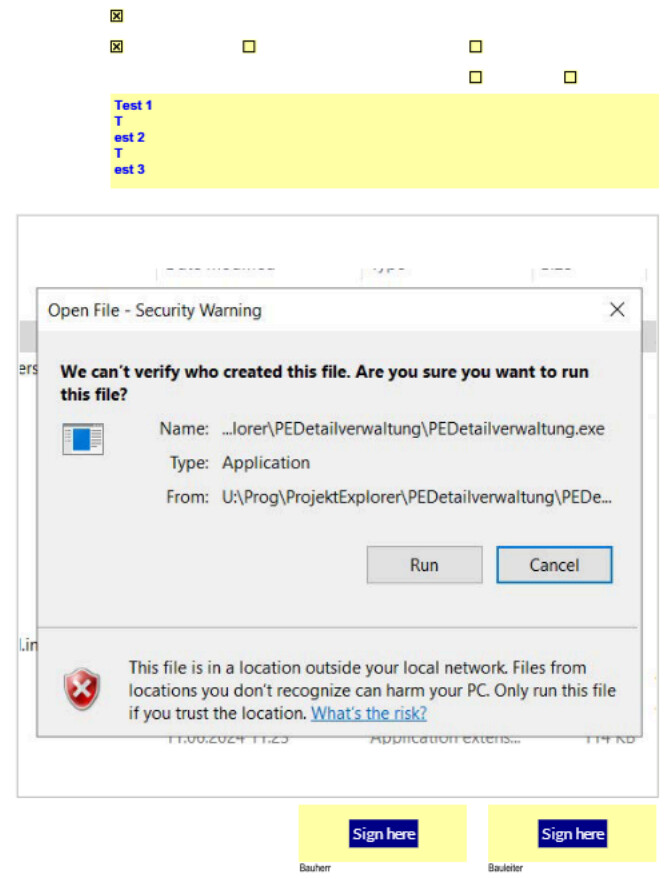
When using the normal print-function of the WebViewer the highlighting of the form fields is gone (that is as it is expected), but the “Sign here” text for the signature fields are still there - which in my opinion shouldn’t, see the following screenshot:
Steps to reproduce:
- Load the attached PDF in the viewer in https://showcase.apryse.com
- Click on the Menu-Button
- Click Print
Note: We also tested useEmbeddedPrint(true), which isn’t printing “Sign here” but in this case the picture isn’t printed.
Test_signing.pdf (131.8 KB)

