WebViewer Version:10.12.1
Do you have an issue with a specific file(s)? Yes
Are you using the WebViewer server? No
Does the issue only happen on certain browsers? No
Is your issue related to a front-end framework? No
Is your issue related to annotations? Yes
Please describe your issue and provide steps to reproduce it:(The more descriptive your answer, the faster we are able to help you)
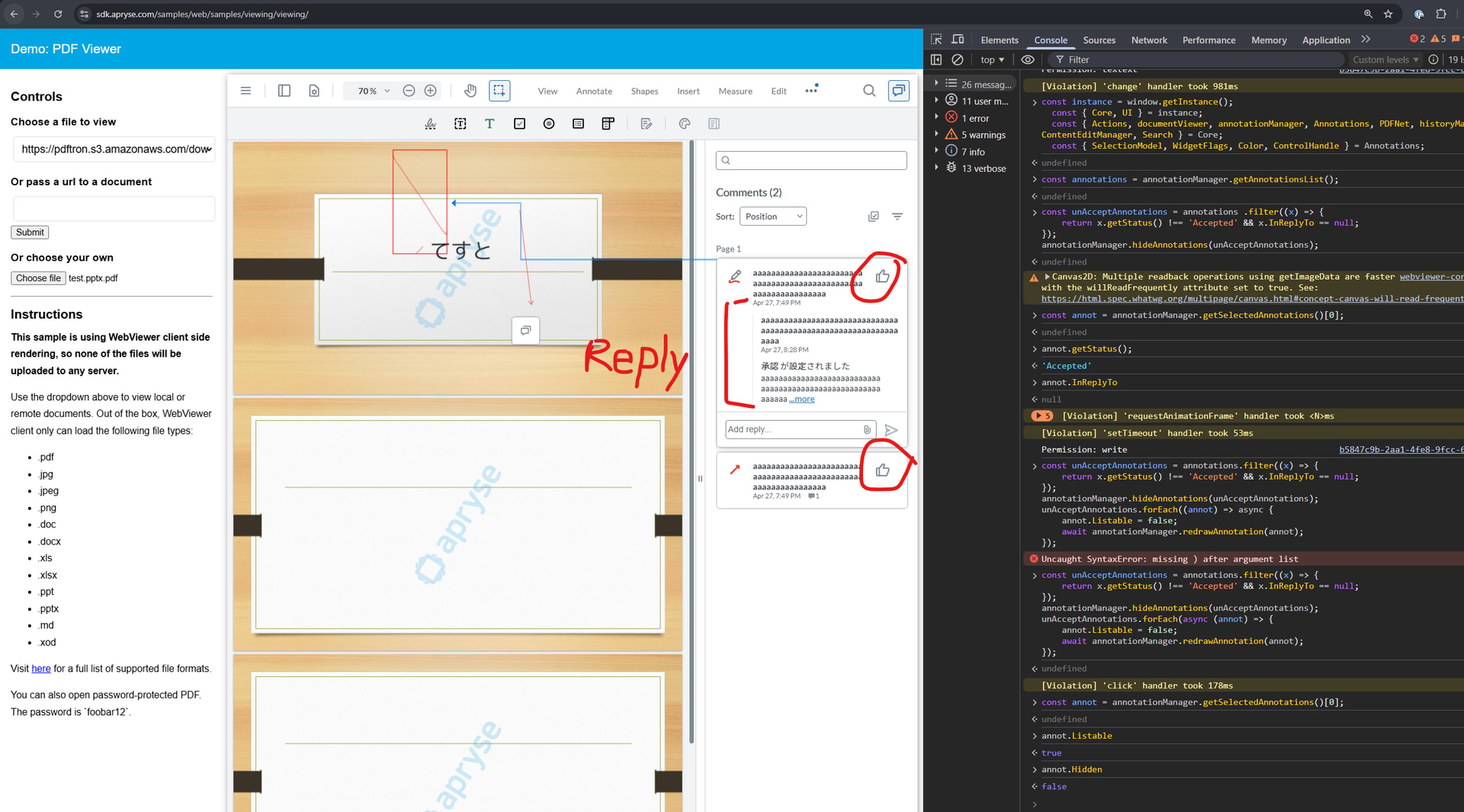
The PDF has about 10 annotations, and the code controls it to display only those with an approved status.
On the web page, only two annotations and replies are displayed, but when downloaded with the annotations included, the hidden annotations also appear.
The strange points are:
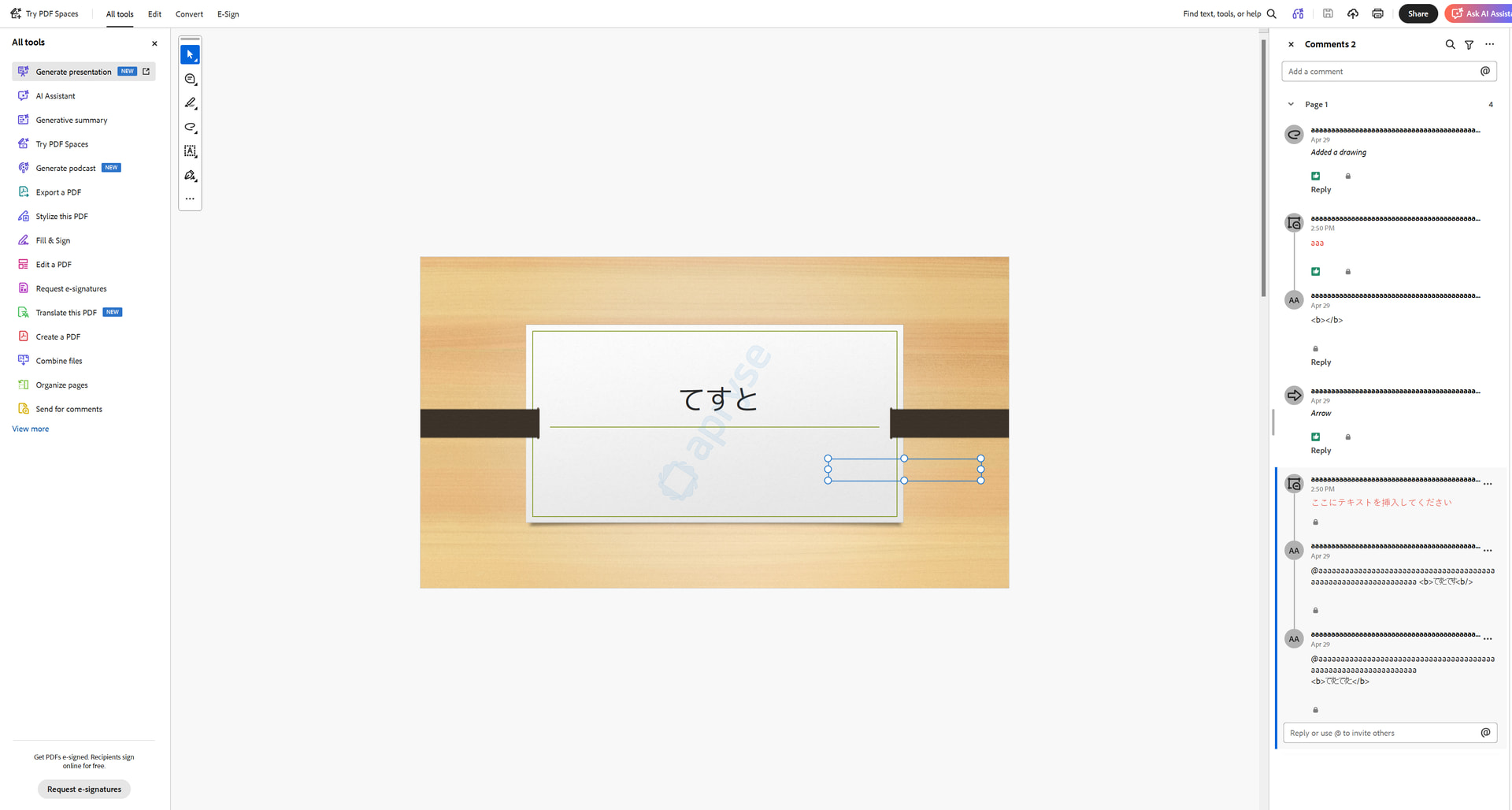
- When you view the downloaded file in Acrobat Reader, hidden annotations will not appear in the preview screen, but they will appear in the comments panel.
- Not all hidden annotations are displayed; only some are.
What should I do to make the annotations displayed on the web page and those displayed after downloading match?
Please provide a link to a minimal sample where the issue is reproducible:
The file where the issue occurs is the attached PDF(include all annotations).
test.pptx.pdf (1.2 MB)
The screen displayed in Acrobat Reader is shown in the follow image file.
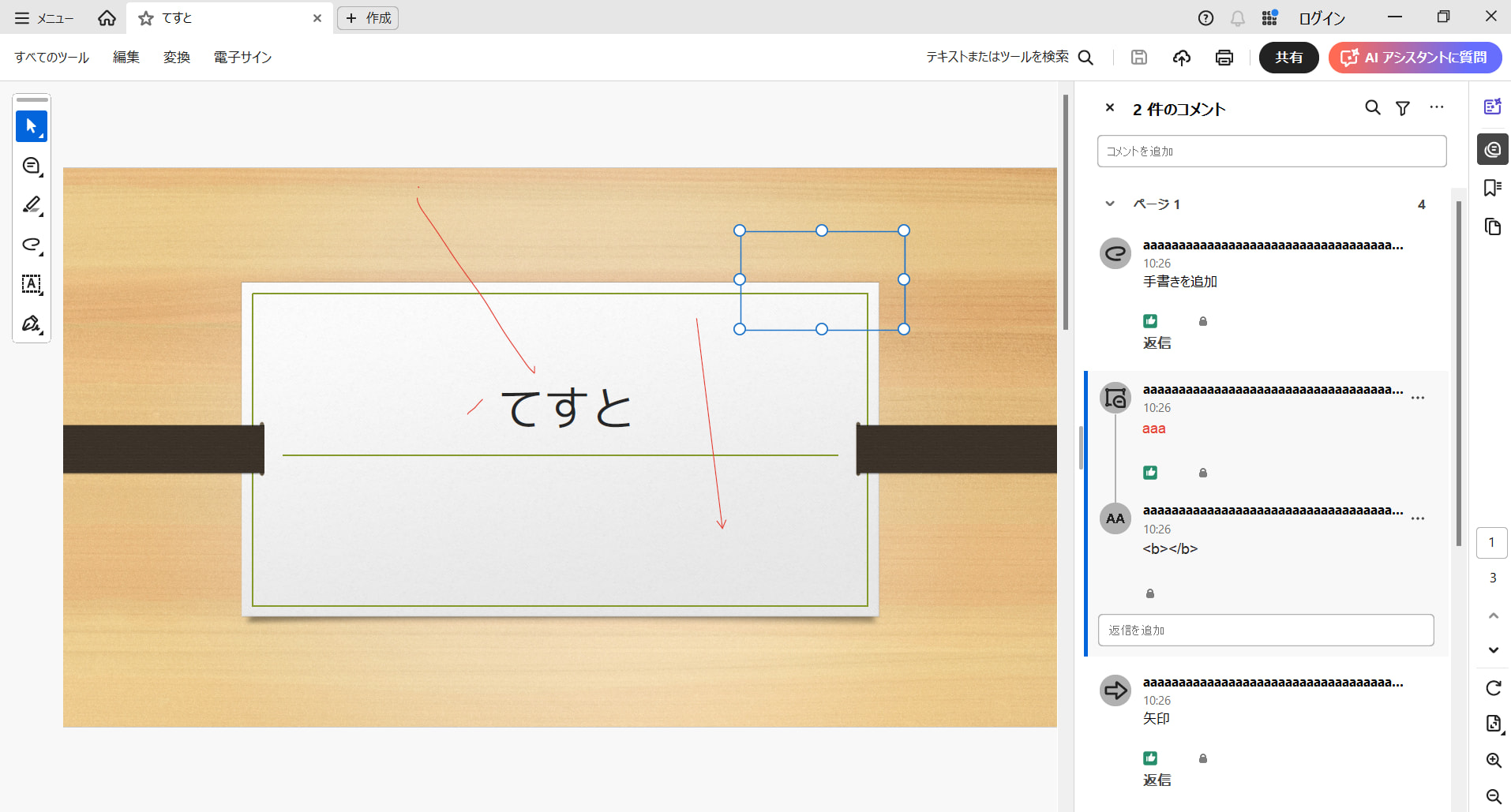
The code to hide some of the annotations is as follows:
const annotationManager = this.viewerInstance.Core.annotationManager;
const allAnnotations = annotationManager.getAnnotationsList();
const unAcceptAnnotations = allAnnotations.filter((x) => {
    return x.getStatus() !== 'Accepted' && x.InReplyTo == null;
});
annotationManager.hideAnnotations(unAcceptAnnotations);
The code to download is as follows:
this.viewerInstance.UI.downloadPdf({
    filename: this.fileName,
    includeAnnotations: true,
    flatten: false,
    flags: this.viewerInstance.Core.SaveOptions.LINEARIZED,
});
Thanks.