Product:
Apryse WebViewer Spreadsheet Editor
Product Version:
Apryse WebViewer Spreadsheet Editor Demo / Integrated Spreadsheet Viewer 11.12.0
Please give a brief summary of your issue:
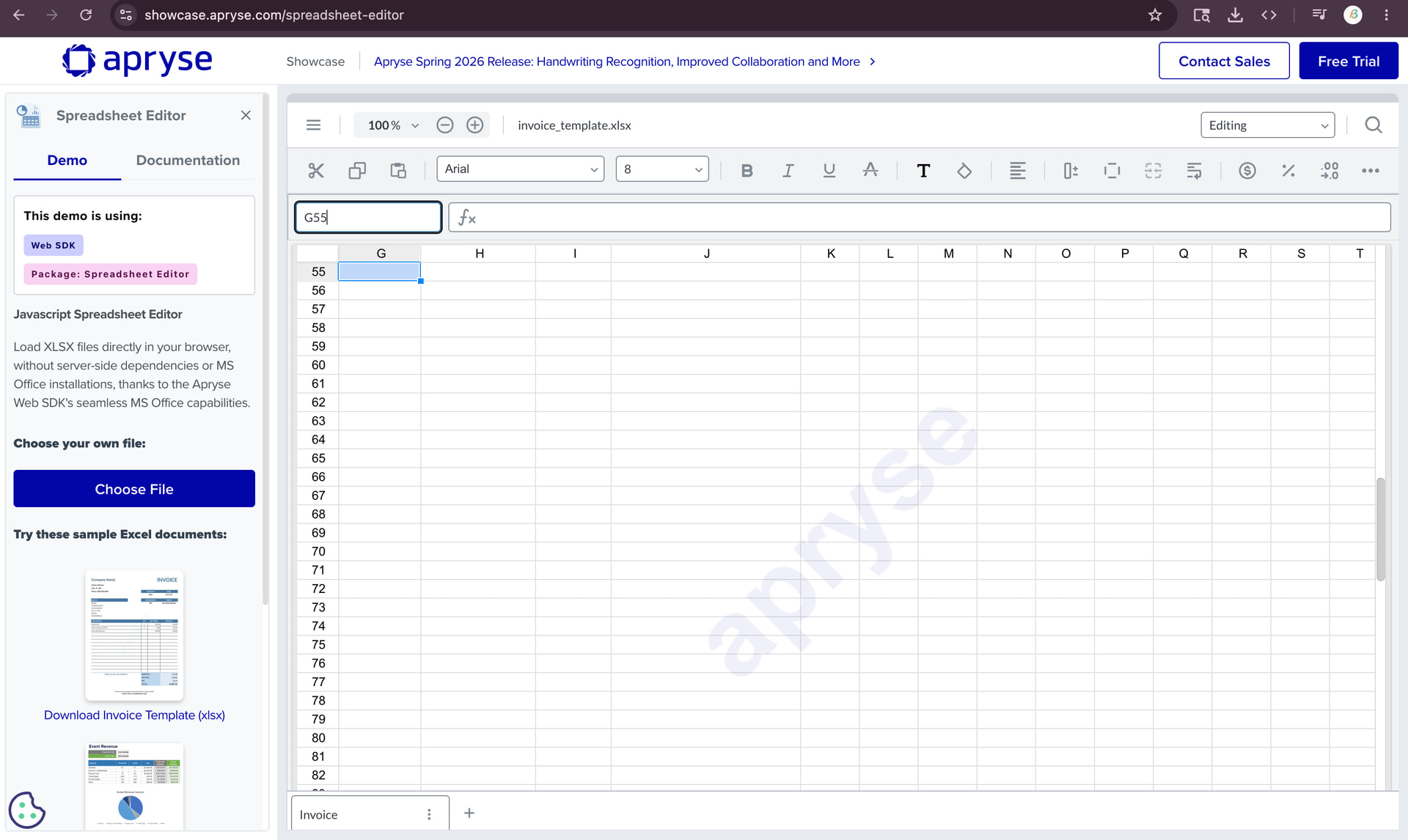
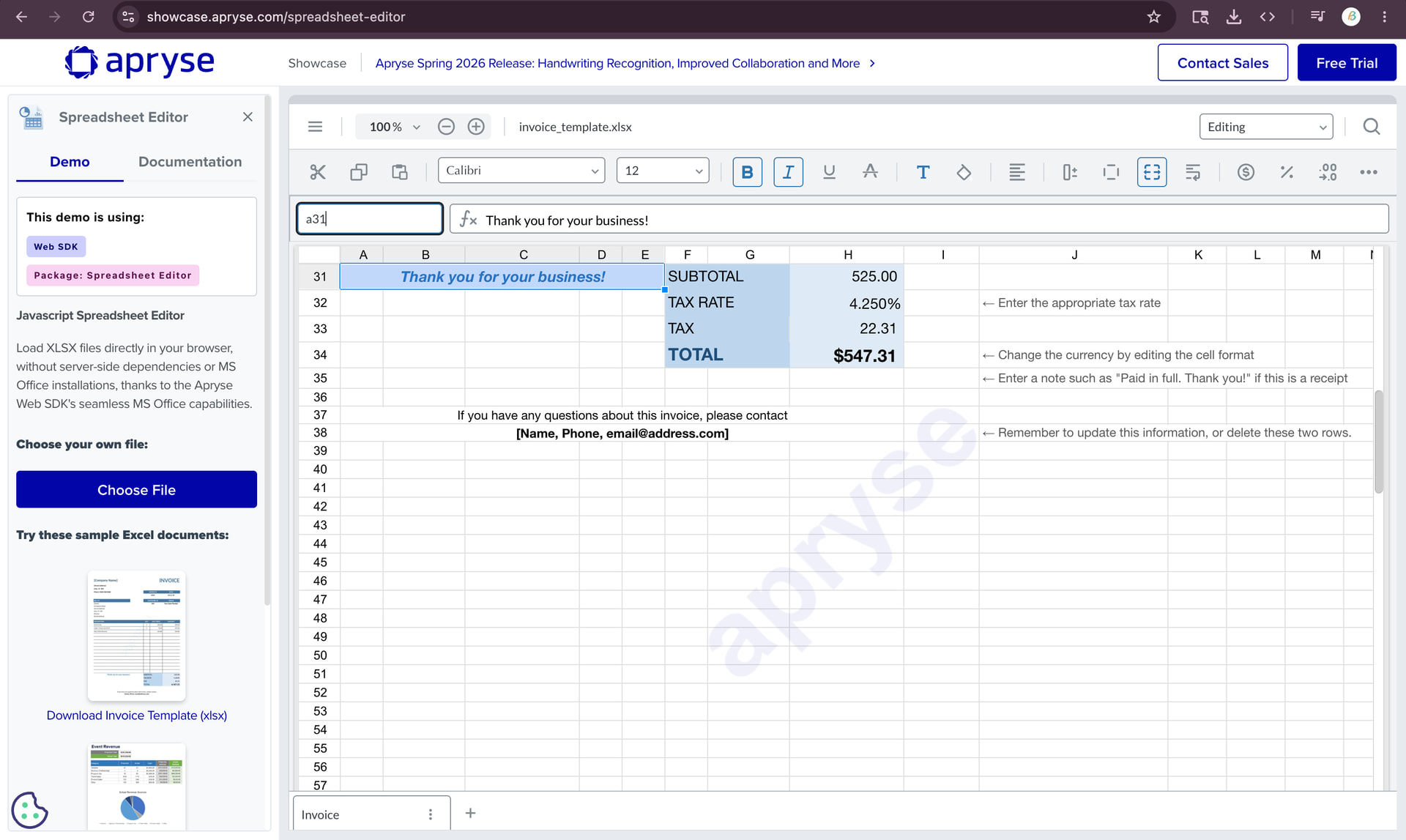
Spreadsheet cell navigation aligns the selected cell to the top-left of the viewport instead of maintaining contextual positioning or centering.
Please describe your issue and provide steps to reproduce it:
We are using the Apryse Spreadsheet Viewer for reviewing Excel-based extraction workflows.
Current behavior:
-
When a user selects an extracted value from our application, we programmatically navigate to the corresponding Excel cell (for example: B25, Z55, etc.).
-
The navigation itself works correctly and the viewer successfully scrolls to the target cell.
-
However, the selected cell is always positioned toward the top-left corner of the viewport after navigation.
This creates a usability issue during review workflows because:
-
Users lose surrounding context around the selected cell
-
Additional manual scrolling/re-centering is required
-
Navigation experience differs from native Microsoft Excel behavior, where the selected area remains more contextually visible
We observed that:
Steps to reproduce:
-
Open an Excel file in Apryse Spreadsheet Viewer
-
Navigate programmatically or manually to a cell using cell selection/search (example: B25 or Z55)
-
Observe that the target cell becomes visible
-
The viewport positions the selected cell near the top-left corner rather than centering or maintaining surrounding visibility
Expected behavior:
-
The selected cell should ideally remain centered or contextually positioned within the viewport after navigation
-
Similar to navigation behavior commonly seen in spreadsheet applications like Microsoft Excel
Actual behavior:
- The viewer scrolls the target cell into view, but aligns it toward the top-left of the viewport
Additional Notes:
-
We could not find any documented configuration to control navigation alignment or viewport positioning after cell selection
-
We reviewed APIs such as spreadsheetEditorDocument.selectCellRange and scroll positioning APIs, but did not identify a built-in option for centered navigation behavior
Please let us know:
-
Whether this is the current intended/default behavior
-
If any configuration or API exists to control viewport positioning after navigation
-
If there are any planned improvements related to spreadsheet navigation UX
Please provide a link to a minimal sample where the issue is reproducible:
A screen shot demonstrating the issue has been attached.
Hello Babu,
Thank you for contacting WebViewer Forums.
It is currently the expected behaviour with Spreadsheet Editor that selecting a cell through the UI or programmatically will cause the view to scroll to the top-left. At this time, there are no configurations to change this however I would be happy to submit a feature request to have our Product Team to review.
If you would like to continue with a feature request, our team would be interested to know:
- What is the workflow that you would use the requested feature in?
- Why is the feature valuable to you and your users?
Regards,
Luke
Hello Luke,
Thank you for the clarification and confirmation that this is the current Spreadsheet Editor behavior.
Yes, we would like to proceed with the feature request.
Our workflow involves reviewing extracted values from Excel-based financial and operational documents. Each extracted field in our application is associated with a corresponding spreadsheet cell location (for example: B33, G39, etc.).
When a reviewer clicks a field in our application, we programmatically navigate to the mapped spreadsheet cell inside the Apryse Spreadsheet Viewer so the user can validate the extracted value against the source document.
Currently, although the correct target cell is selected, the viewport always aligns the selected cell toward the top-left corner of the viewer. This creates operational usability challenges because users lose the surrounding spreadsheet context around the selected value.
For example:
- Financial values are often reviewed together with nearby labels, headers, adjacent columns, or related rows
- Many spreadsheets contain merged cells and grouped contextual data
- Users frequently need to understand neighboring content to validate whether the extracted value is correct
With the current behavior, reviewers must manually re-scroll or reposition the sheet after every navigation action, which becomes inefficient during high-volume review workflows.
A centered or context-aware navigation experience similar to Microsoft Excel would significantly improve usability and review efficiency for our users.
This enhancement would be especially valuable in extraction-review workflows where users repeatedly navigate between application fields and spreadsheet source locations.
Please let us know if any additional details or sample workflows would be helpful.
Regards,
Babu
Hello Babu,
Thank you for your reply.
I have recorded this feature request and provided the information to our Product Team to review. We will update this ticket if any changes are made.
As we have all the info needed for this request, I will go ahead and close this thread. Feel free to re-open this ticket if you would like to provide any additional information. Thank you again for your feedback and we look forward to working with you in the future!
Regards,
Luke
when we can expect this fix for this issue
1 Like
Hello Babu,
Thank you for your reply.
This feature request has been submitted to our Product Team for initial review. It is not currently included in our 2026 roadmap however, we will keep you informed of any updates. At this time, we do not have an estimated timeline for implementation. Thank you for your understanding.
Regards,
Luke
1 Like