SpreadsheetEditor crashes with “Cannot read properties of null (reading ‘length’)” when loading Excel file containing grouped formulas and full-column references
Description:
We are able to consistently reproduce a crash in SpreadsheetEditor when loading an Excel file containing:
Shared/grouped formulas
Full column references (e.g., A:A)
Cross-sheet formula references
Defined names referencing full columns
Hidden sheets
The browser console shows:
Uncaught TypeError: Cannot read properties of null (reading ‘length’)
at Object.getcellrange
at Object.execFunctionGroup
at Object.execFunctionGroupForce
at setWorkbookJsonData
The file opens correctly in Microsoft Excel.
The issue is reproducible using the attached minimal sample file.
Workaround:
Converting all formulas to values resolves the issue.
reference file attached: WebViewer_Aggressive_Formula_Repro.xlsx (38.2 KB)
Please give a brief summary of your issue:
Please provide a link to a minimal sample where the issue is reproducible: WebViewer_Aggressive_Formula_Repro.xlsx (38.2 KB)
Since the issue is occurring in the latest WebViewer version as well, could you please confirm whether this can be handled at the application level, or if we need to wait for a future release for a fix?
Following your instructions, I was able to reproduce the issue on my end. From my testing, it appears the issue regarding the file crashing has since been resolved and is available on our experimental build.
That said, after checking in with Product, they confirmed that we currently do not support defined variables\named ranges, so columns E-G will not have the expected values. This is currently expected behavior, but I have raised a Feature Request to our backlog for our Product team to review.
If you could provide some further information around the context of why you want the feature, this may help prioritize its development. We would be interested to know:
What is the workflow that you would use the requested feature in?
Why is the feature valuable to you and your users?
Best Regards,
Jacob Romano Carlsen
Web Development Support Engineer Apryse Software Inc.
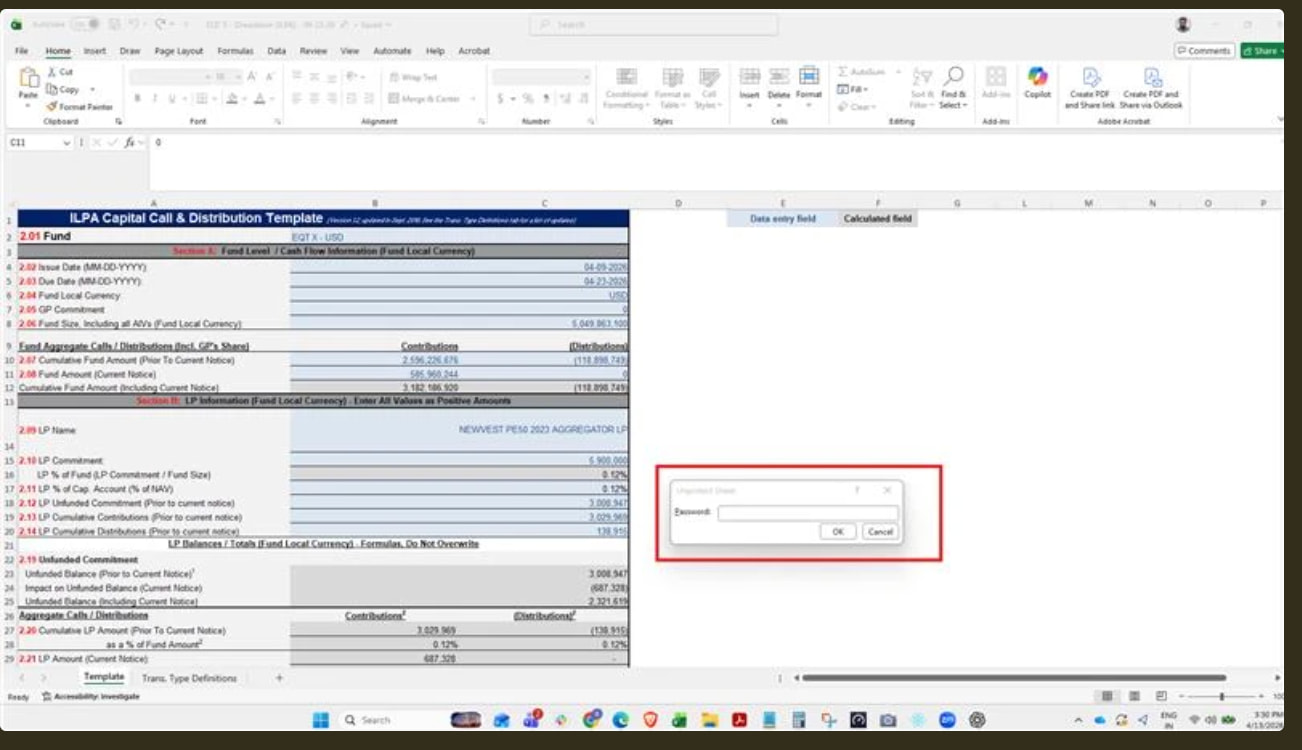
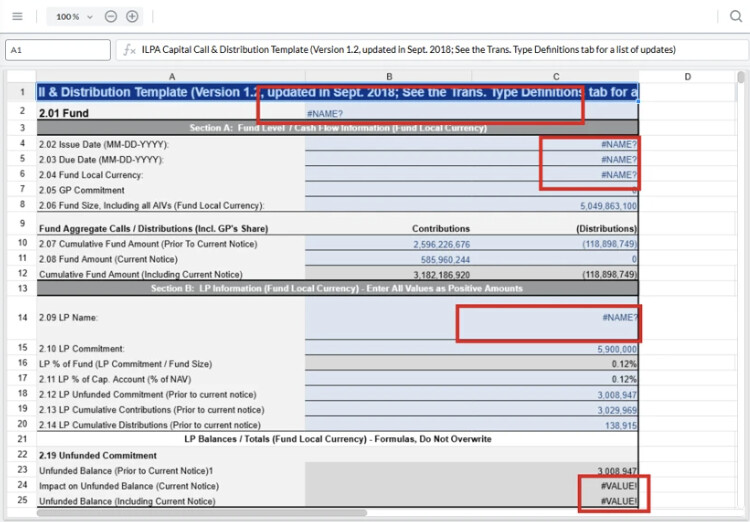
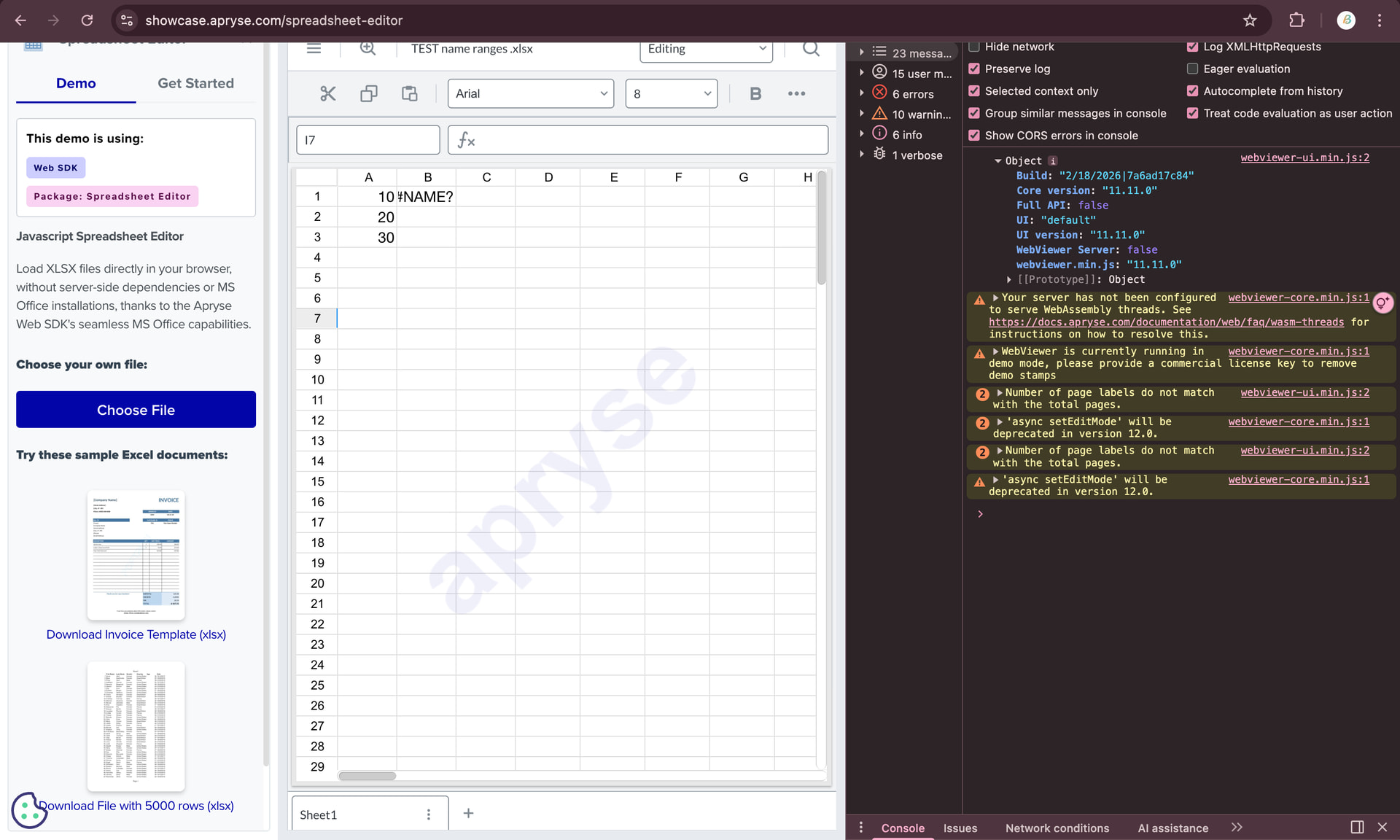
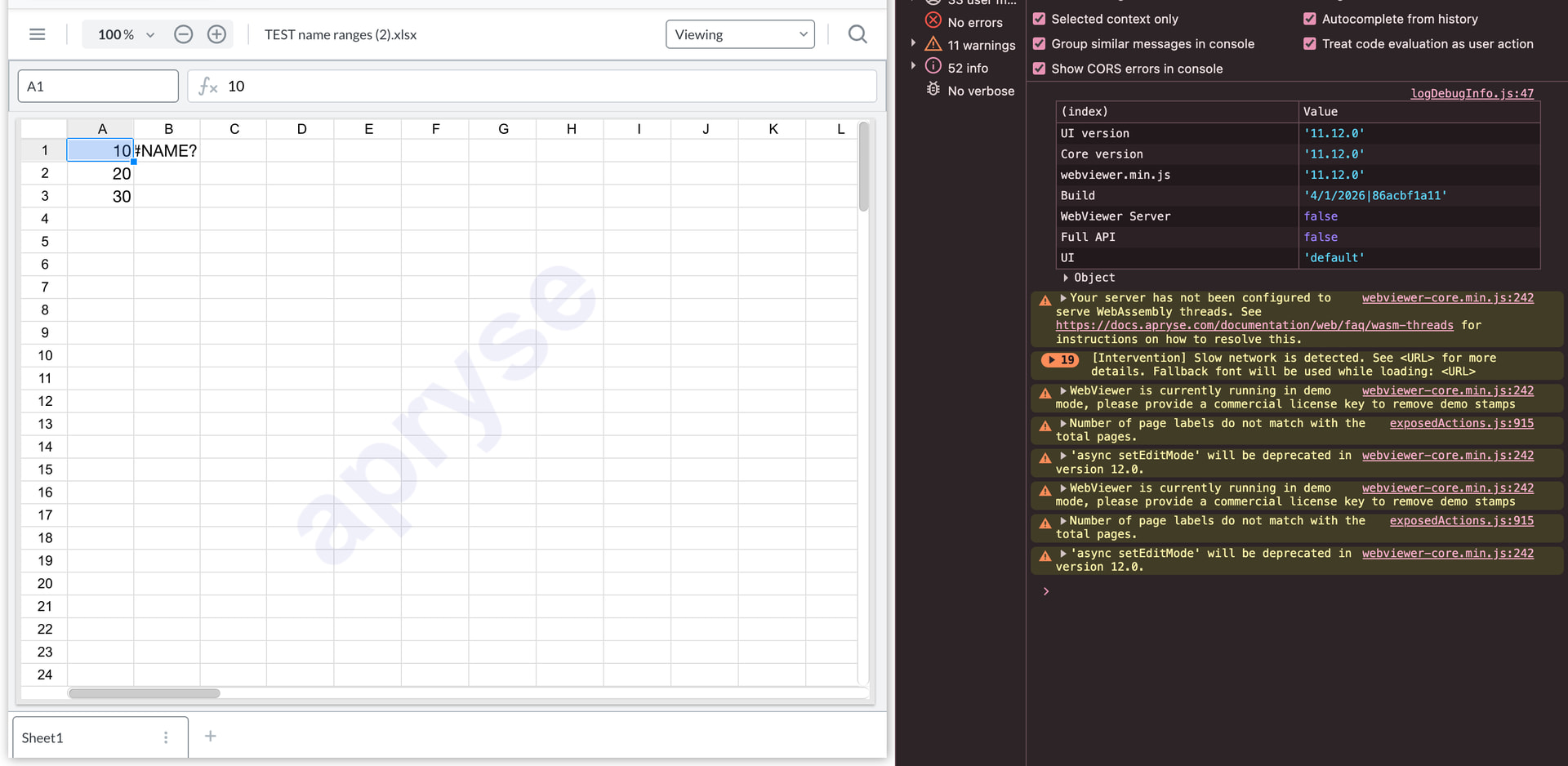
We have also verified that named range formulas (for example, =SUM(MyRange)) return #NAME? in WebViewer, while they work correctly in Microsoft Excel. I have attached screenshots showing the behavior in both Excel and the Apryse Spreadsheet Editor for reference.
Regarding your questions on context:
Our users frequently upload Excel files generated from financial and accounting systems. These files commonly use named ranges as part of standard financial templates for calculations, summaries, and reporting. In many cases, named ranges are embedded in formulas across multiple sheets.
Support for named ranges is important for us because:
It ensures uploaded Excel files behave consistently between Excel and the WebViewer.
It prevents users from having to modify their original financial templates before uploading.
It maintains calculation accuracy and trust in displayed financial data.
Since named ranges are widely used in financial reporting workflows, this feature would be highly valuable for our users.
Thank you for the detailed information regarding your use case. I have recorded all of the details provided and have appended it to the Feature Request for our Product team to take into consideration.
We tested the same reproducible file using the latest experimental WebViewer build. The original issue where the SpreadsheetEditor continuously loaded and threw the getcellrange null error in the console no longer occurs. The file now loads successfully in the experimental build.
However, we still observe that formulas using named ranges are not evaluated and display #NAME? in columns E–G, while the same file works correctly in Microsoft Excel. As mentioned earlier, we understand that named ranges are currently not supported and that a feature request has been raised.
Since our users frequently upload Excel files generated from financial and accounting systems that rely on named ranges for calculations and summaries, this behavior can lead to incorrect values being displayed in the viewer. For this reason, support for named ranges would be important for our workflow.
We have also observed a related behavior in another support thread where formulas display #NAME? instead of evaluated values:
We would appreciate if this feature could be considered in future releases.
Thank you for the update. Happy to hear you were able to confirm the getcellrange error no longer occurs.
We appreciate the feedback and have forwarded the information regarding your users and you use case to the feature request for our Product team to additionally have for context.
As for the other thread, the issue seems to be unrelated, and is currently being handled separately. We will be sure to update you on that thread once we have more information.
Let me know if you need further clarification.
Best Regards,
Jacob Romano Carlsen
Web Development Support Engineer Apryse Software Inc.
We tested this on version 11.12.0
The issue still persists — Excel cells are showing #NAME?, indicating the formulas are not being interpreted correctly.
After checking in with the Product team, they confirmed that the file should not crash when loading (which appears to be the case). That said, features such as defined variables\named range (the cells which values are being outputted as “#NAME?” are not currently implemented but is currently raised as a Feature Request.
Feel free to let us know if there is any other information regarding your use case and desired workflow that you would like added to the Feature Request.
Best Regards,
Jacob Romano Carlsen
Web Development Support Engineer Apryse Software Inc.
Cells that depend on named ranges are rendered as #NAME?
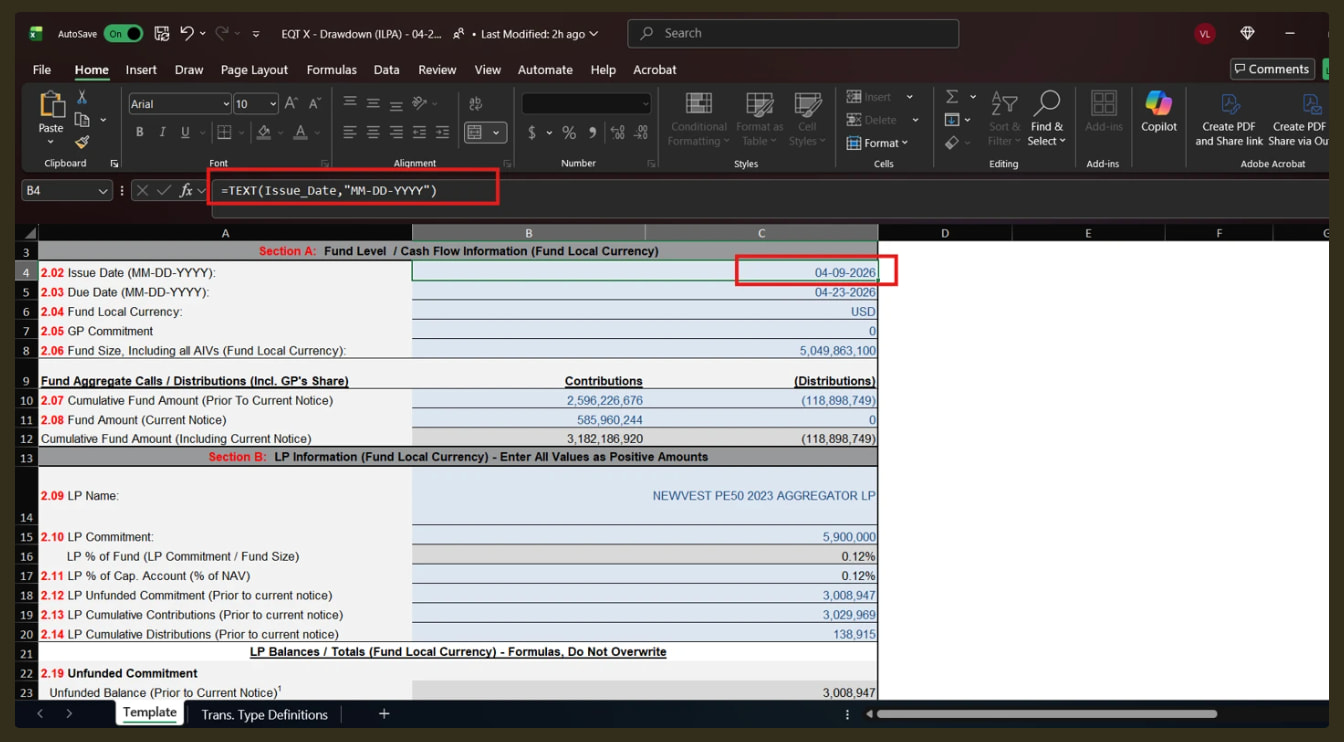
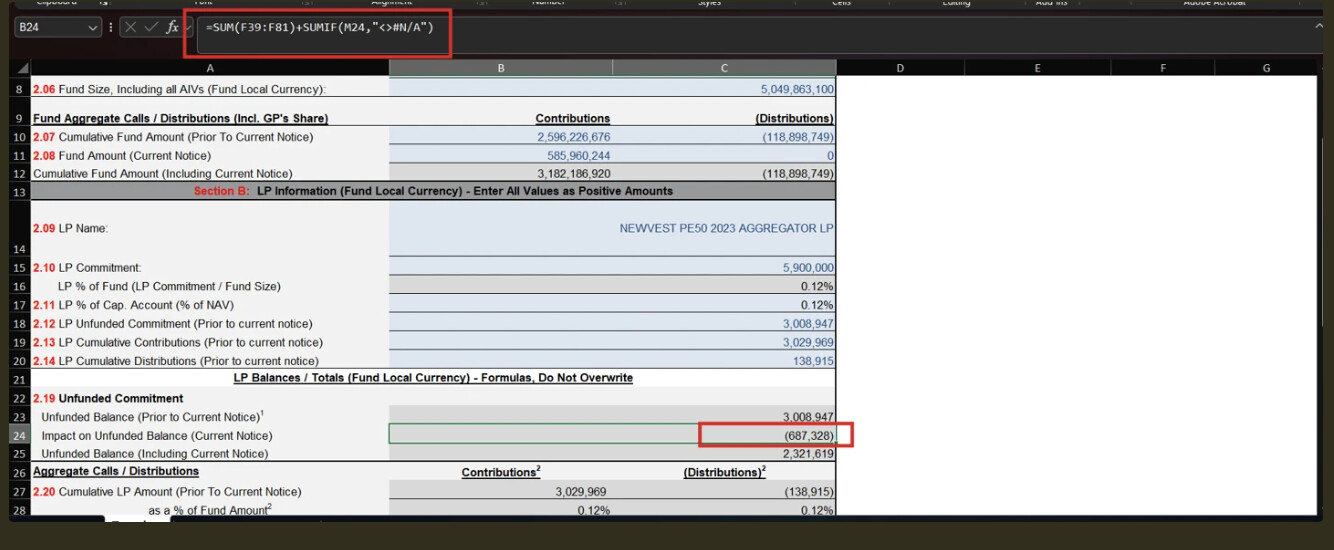
This occurs even though the same cells display correct values in Microsoft Excel
Observations
The Excel files contain formulas that reference named ranges, for example:
=TEXT(Issue_Date,“MM-DD-YYYY”)
In Excel, these formulas evaluate correctly
In WebViewer, named range references are not resolved, resulting in #NAME?
Impact
Users are unable to view correct values in the document preview
This affects their ability to verify and validate data against the source file
The suggested workaround (converting formulas to values) is not always feasible, especially when the Excel file is protected and cannot be modified
This introduces dependency on file changes and limits usability in real-world scenarios
Request
Support for named ranges / defined variables would significantly improve compatibility with standard Excel files and remove the need for manual workarounds.
Please consider this as a high-impact use case, as named ranges are commonly used in structured Excel templates.
Thank you for the detailed information regarding the feature request for named ranges / defined variables. We really appreciate describing the impact that this feature has on you and your users, as well as the supplementary screenshots.
We’ve forwarded all of this information to the Feature Request for our Product team to review as context.


 Issue Summary