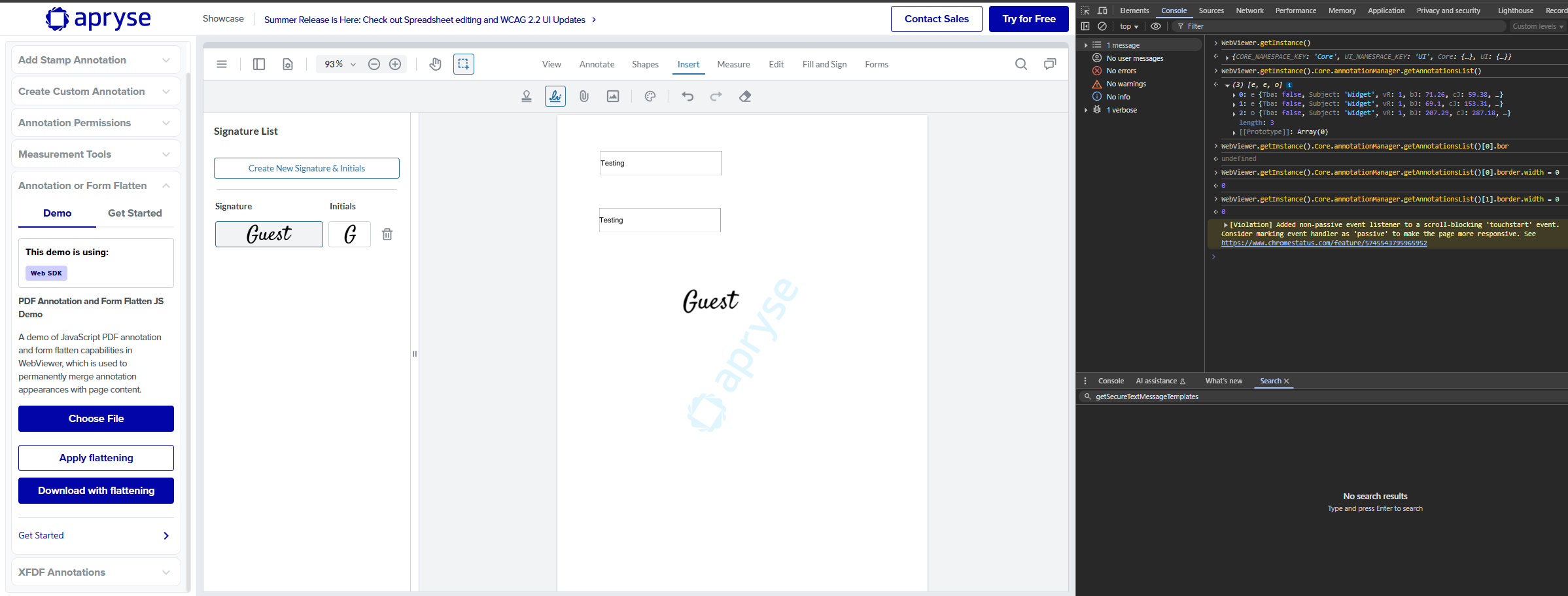
Please give a brief summary of your issue:
Unable to remove the border from a TextWidgetAnnotation
Please describe your issue and provide steps to reproduce it:
I am trying to remove the border from a TextWidgetAnnotation in WebViewer. I attempted the following code:
if (annotation instanceof Annotations.TextWidgetAnnotation) {
    annotation.border.width = 0;
}
Additionally, we export annotations from WebViewer and merge them into the PDF on the backend using the PDFTron SDK with the following code:
FDFDoc fdoc = FDFDoc.createFromXFDF(annotationData);
pdfDoc.fdfUpdate(fdoc);

for (int i = 1; i <= pdfDoc.getPageCount(); i++) {
    Page page = pdfDoc.getPage(i);
    int numAnnots = page.getNumAnnots();

    for (int j = numAnnots - 1; j >= 0; j--) {
        Annot annot = page.getAnnot(j);
        annot.flatten(page);
    }
}
Even after flattening, the border and background are still visible in the final PDF.
So How to remove Border and Background Color from Backend Code means from Annot Object.
Hello, I’m AiRon, an automated tech support bot While you wait for one of our customer support representatives, I can help you with your question.
It seems like you’re having trouble removing the border and background color from a TextWidgetAnnotation in your PDF using Apryse’s WebViewer and backend SDK. The issue may stem from how the annotations are being processed both in the WebViewer and on the backend.
Some things you can try:
Ensure that the annotation.border.width is set to 0 in WebViewer. This should remove the border from the annotation in the viewer.
On the backend, after updating the FDFDoc, ensure that you explicitly set the border width and color to be transparent or zero before flattening the annotation.
Check if the background color is being set when creating or updating the annotations and set it to be transparent.
Verify that the XFDF data being exported from WebViewer doesn’t have any border or background attributes set that might override your settings.
So How to remove Border and Background Color from Backend Code means from Annot Object.
We have reviewed this issue and, after changing the border width to zero, the border is not visible in WebViewer, but potentially is in other viewers such as Adobe. We have created a forum post that shows how to remove the appearance stream and optional annotation characteristics from an annotation so it will display without a border. Please take a look and let us know if this resolves your issue.