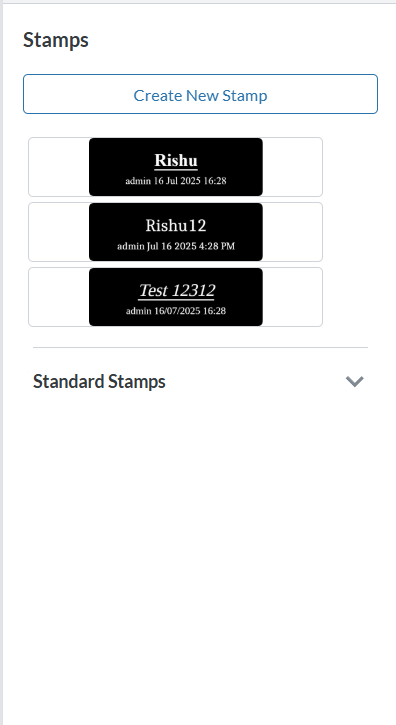
Do you have an issue with a specific file(s)? No
Can you reproduce using one of our samples or online demos? Yes
Are you using the WebViewer server? Yes
Does the issue only happen on certain browsers? No
Is your issue related to a front-end framework? No
Is your issue related to annotations? No
Please give a brief summary of your issue: I want to add custom button in stamp panel for uploading image.
Please describe your issue and provide steps to reproduce it: I want to add custom button in stamp panel for uploading image.
Hello, I’m AiRon, an automated tech support bot While you wait for one of our customer support representatives, I can help you with your question.
To add a custom button in the Stamp panel for uploading an image in WebViewer, you will need to interact with the WebViewer’s UI and possibly make use of its JavaScript API to customize the UI components.
Some things you can try:
Use the UI.loadDocument() function to load documents and manage UI elements.
Customize the UI by accessing the instance.UI object, which allows you to add or remove buttons.
Create a custom button element and append it to the Stamp panel using the DOM manipulation techniques.
Attach an event listener to your custom button to handle the image upload functionality.