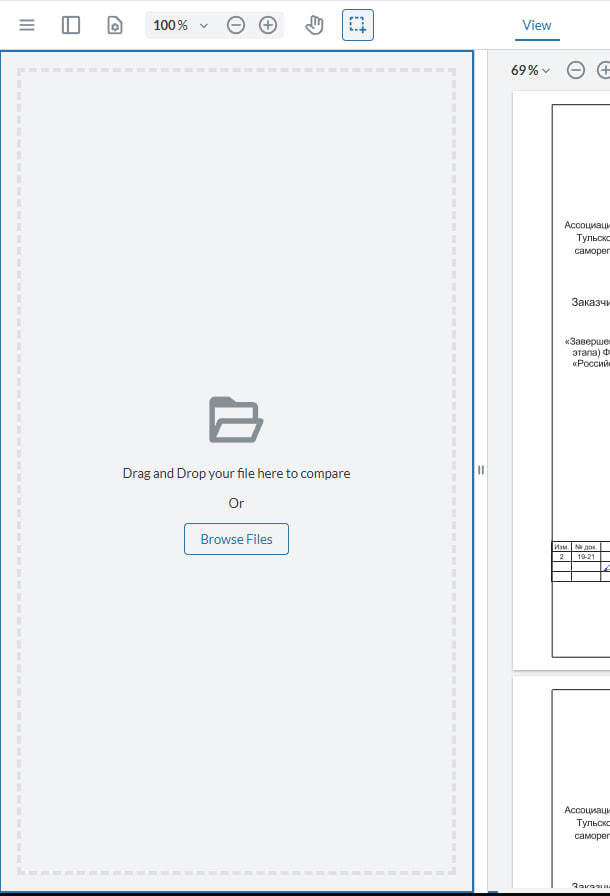
WebViewer Semantic Compare React

WebViewer Version:

Do you have an issue with a specific file(s)?
Can you reproduce using one of our samples or online demos?
Are you using the WebViewer server?
Does the issue only happen on certain browsers?
Is your issue related to a front-end framework?
Is your issue related to annotations?

Please give a brief summary of your issue:
(Think of this as an email subject)

Please describe your issue and provide steps to reproduce it:
(The more descriptive your answer, the faster we are able to help you)

Please provide a link to a minimal sample where the issue is reproducible:
I’m doing a semantic comparison based on your example:

The initialization function (fullAPI: true,
licenseKey, path, ref.current are passed) is run separately in the hook, and the effect for starting the comparison mode is located nearby.

 useEffect(() => {
    if (!instance || !compareMode) {
      return
    }

    const { firstFileBlob, secondFileBlob } = comparisonFiles
    if (!firstFileBlob || !secondFileBlob) {
      return
    }

    const runSemanticCompare = async () => {
      const { Core, UI } = instance

      const { Annotations } = Core
      const { Color } = Annotations

      const { enableFeatures, openElements } = UI

      enableFeatures([UI.Feature.ComparePages, UI.Feature.MultiViewerMode])

      openElements(['comparePanel'])

      UI.enterMultiViewerMode()

      const url1 = URL.createObjectURL(firstFileBlob)
      const url2 = URL.createObjectURL(secondFileBlob)

      const viewers = Core.getDocumentViewers()
      if (viewers.length < 2) {
        return
      }

      const [viewer1, viewer2] = viewers

      await Promise.all([
        viewer1.loadDocument(url1, { extension: 'pdf' }),
        viewer2.loadDocument(url2, { extension: 'pdf' }),
      ])

      const beforeColor = new Color(21, 205, 131, 0.4)
      const afterColor = new Color(255, 73, 73, 0.4)

      const options = { afterColor, beforeColor }

      await viewer1.startSemanticDiff(viewer2, options)
    }

    runSemanticCompare().catch(err => console.error('err', err))
  }, [instance, compareMode, comparisonFiles])

Running the comparison function returns the error “err TypeError: ua.beforeColor.toObject is not a function”

What could this be related to? The types seem to match.

Initialization and transition to multi-window are successful, only semantic comparison via coloring does not work

thanks

Hello, I’m AiRon, an automated tech support bot :robot:
While you wait for one of our customer support representatives, I can help you with your question.


It seems you are encountering a TypeError related to the beforeColor.toObject function when attempting to use the semantic comparison feature in WebViewer. This error typically suggests that the Color object might not be properly instantiated or utilized.

Some things you can try:

  • Ensure that the Color object is correctly imported and instantiated. It should be an instance of the Annotations.Color class.

  • Check if the color values are correctly passed as parameters to the Color constructor. These parameters should be numeric RGBA values.

  • Verify that all necessary features and elements are enabled and opened in the UI, especially the ComparePages and MultiViewerMode features.

  • Make sure that Core.getDocumentViewers() returns exactly two viewers, as the semantic comparison requires two documents to compare.


Here are some resources that might help you:


Hopefully, this helps you solve your problem while you wait for a human to get back to you.

Hello Yana,

Thank you for contacting WebViewer Forums.

I was able to get the code working with the following code snippet by wrapping the startSemanticDiff() with the multi-viewer ready event. Please let me know if this works for you:

instance.UI.openElements(['comparePanel']);
UI.enableFeatures([UI.Feature.MultiViewerMode]);
instance.UI.addEventListener(UI.Events.MULTI_VIEWER_READY, async () => {
  const [documentViewerOne, documentViewerTwo] = getDocumentViewers();
  await Promise.all([
    Core.getDocumentViewers()[0].loadDocument(
     file1
    ),
    Core.getDocumentViewers()[1].loadDocument(
      file2
    ),
  ]);

  const beforeColor = new Color(21, 205, 131, 0.4);
  const afterColor = new Color(255, 255, 0, 1);
  const options = { afterColor, beforeColor };
  const { doc1Annotations, doc2Annotations, diffCount } =
    await documentViewerOne.startSemanticDiff(documentViewerTwo, options);
})

Regards,
Luke

1 Like

Thank you very much for your answer, everything works

1 Like

Sorry, how can i compare xlsx with pdf file?

added a field during initialization “loadAsPDF: true”, but when comparing, the xlsx file disappears

1 Like

Hello Yana,

Thank you for re-opening the thread.

The loadAsPDF option can be explicitly passed into the loadDocument with the xlsx file and should be working as expected. For example:

Core.getDocumentViewers()[1].loadDocument('files/Book1_Blank.xlsx', {
  loadAsPDF: true,
}),

Regards,
Luke

2 Likes