Please give a brief summary of your issue:
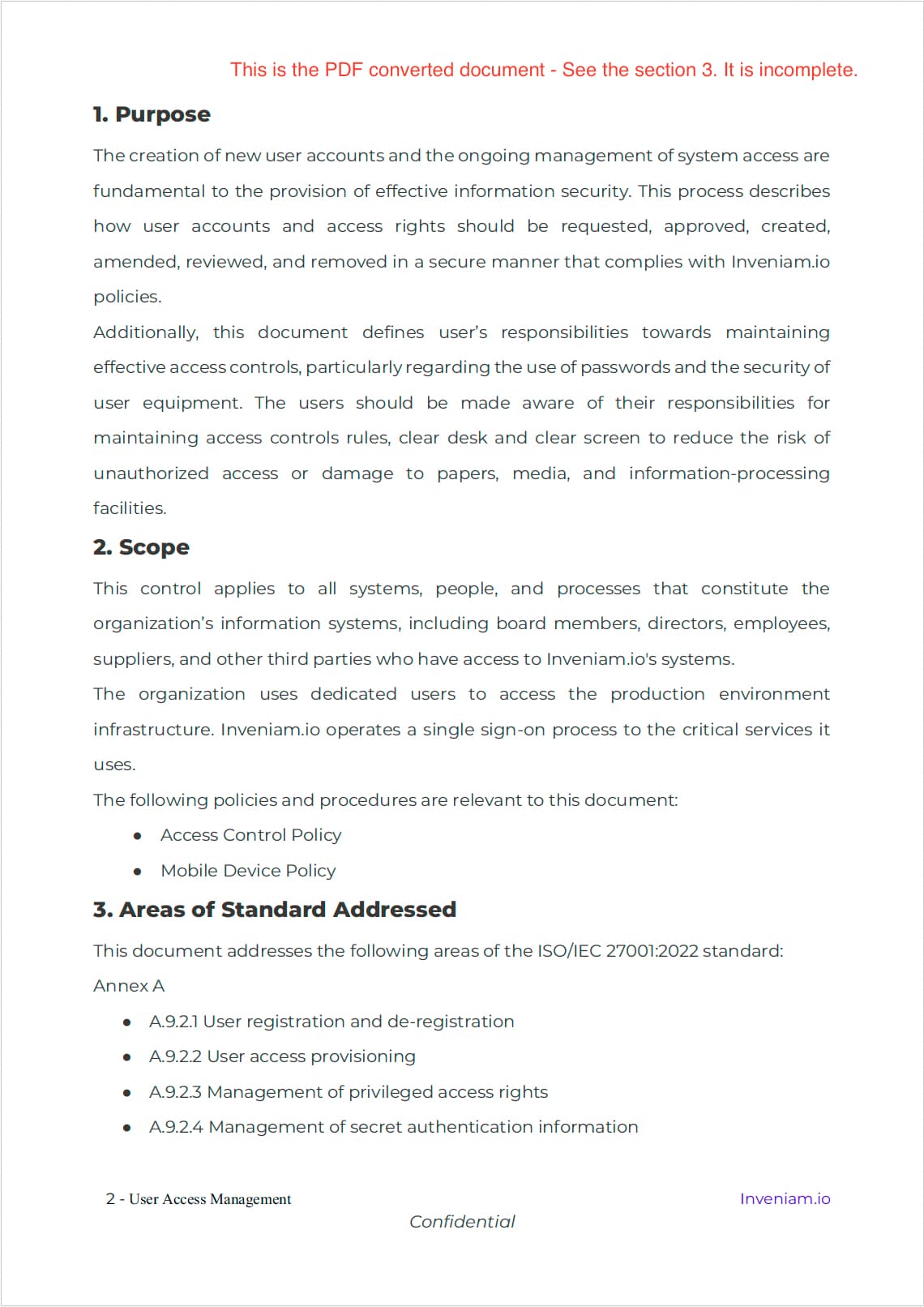
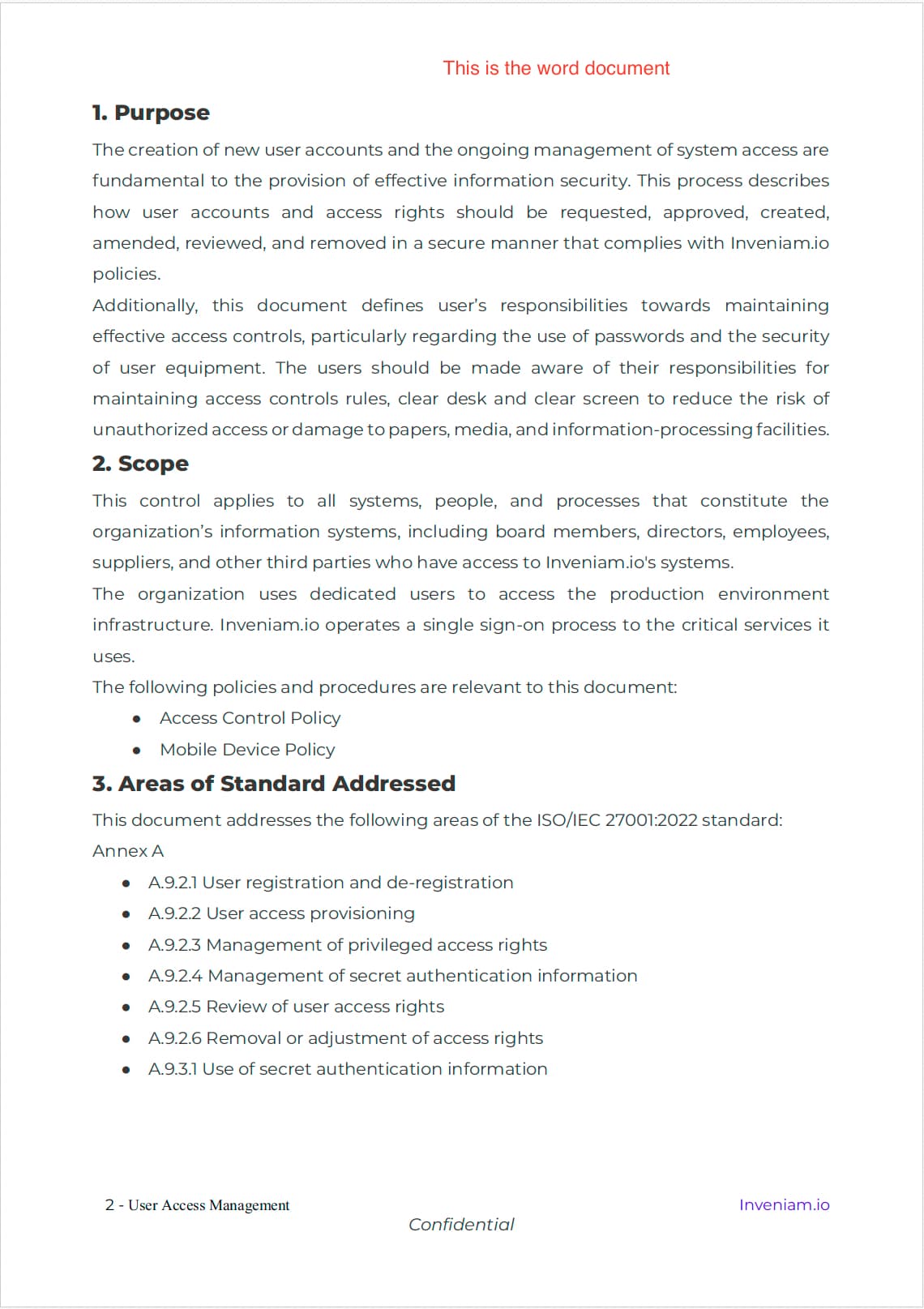
While converting a word document to PDF the resultant PDF has more line / para spacing increasing the page count form 8 in Word to 9 in PDF
Please describe your issue and provide steps to reproduce it:
We have a word file. We use PDFTron SDK to convert it to PDF. The resultant PDF has 9 pages but the original word document has 8 pages. The converted PDF has lots of line / para spacing. See the attached screenshots of the to see the difference between the original document and the converted PDF.
Please provide a link to a minimal sample where the issue is reproducible:
We use the code in the attached file for conversion. convert_to_pdf.py (5.7 KB)
Hello, I’m AiRon, an automated tech support bot While you wait for one of our customer support representatives, I can help you with your question.
It seems you’re encountering an issue with line spacing when converting a Word document to PDF using the PDFTron Python SDK. This discrepancy in spacing can arise due to differences in how Word and PDF render documents, especially in terms of fonts and layout settings.
Some things you can try:
Ensure that the fonts used in the Word document are available and correctly embedded in the PDF. Missing fonts can cause layout changes.
Check the conversion settings in the PDFTron SDK to see if there are options to maintain the original layout or adjust spacing.
Use the latest version of the SDK to benefit from any improvements or bug fixes related to document conversion.
Try adjusting the resolution and scaling settings during conversion to see if they affect the layout.
Compare the settings and options used in your conversion script with those provided in PDFTron’s documentation and samples.
Thanks for notifying us about this issue. Can you please provide the Word file you are supplying as input for this conversion? If you cannot upload it into this public forum due to privacy concerns, can you please reference this forum post and email it to our support team using the support@apryse.com email?