Product:Apryse WebViewer (Spreadsheet Editor)
Product Version:11.11.0
Please give a brief summary of your issue:
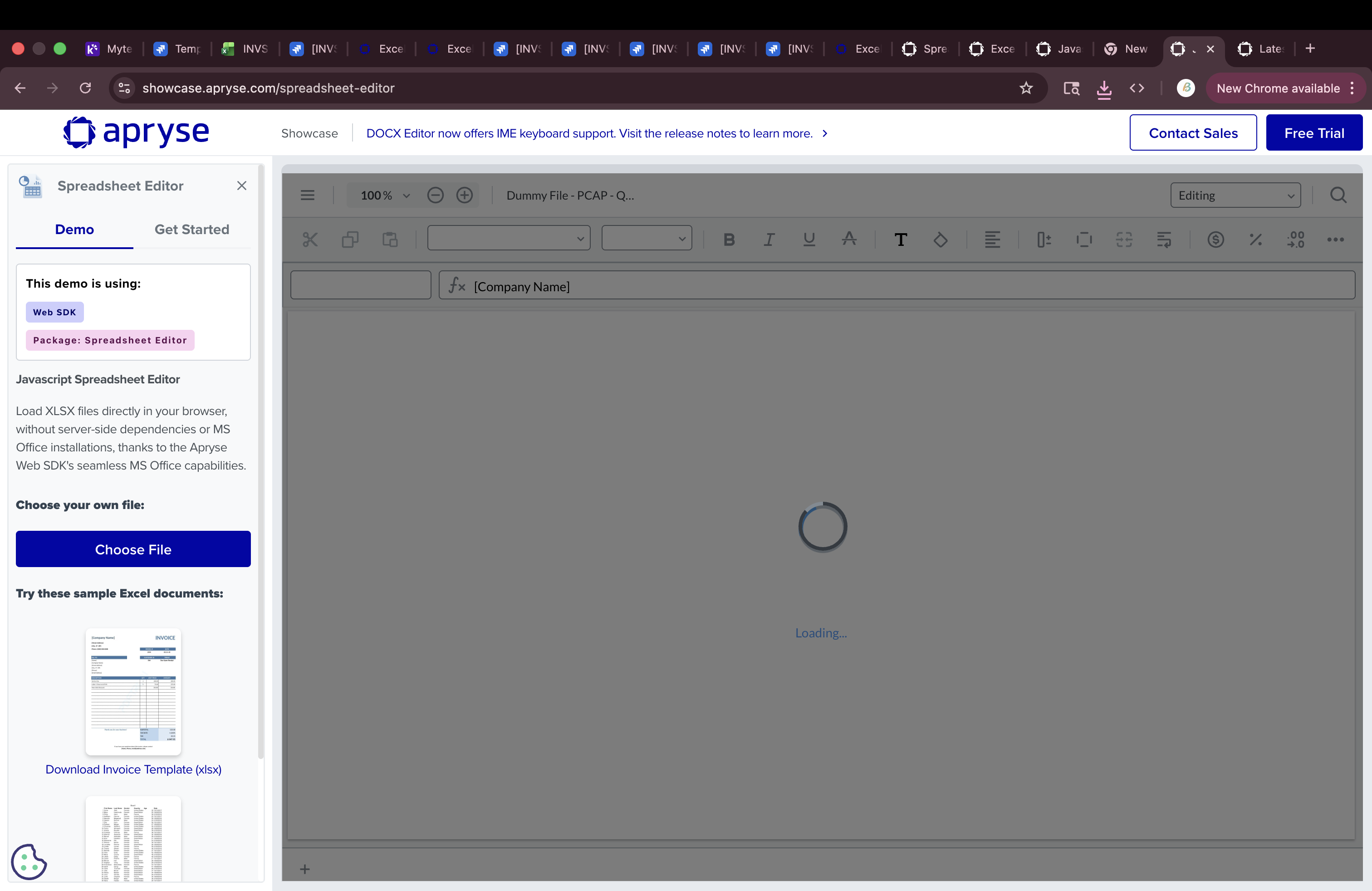
Spreadsheet Viewer stuck loading or rendering black sections for Excel file with formulas and formatting
Please describe your issue and provide steps to reproduce it:
Hi Team,
We are facing an issue while loading an Excel file in the Apryse Spreadsheet WebViewer.
Issue:
- The viewer either keeps loading continuously, OR
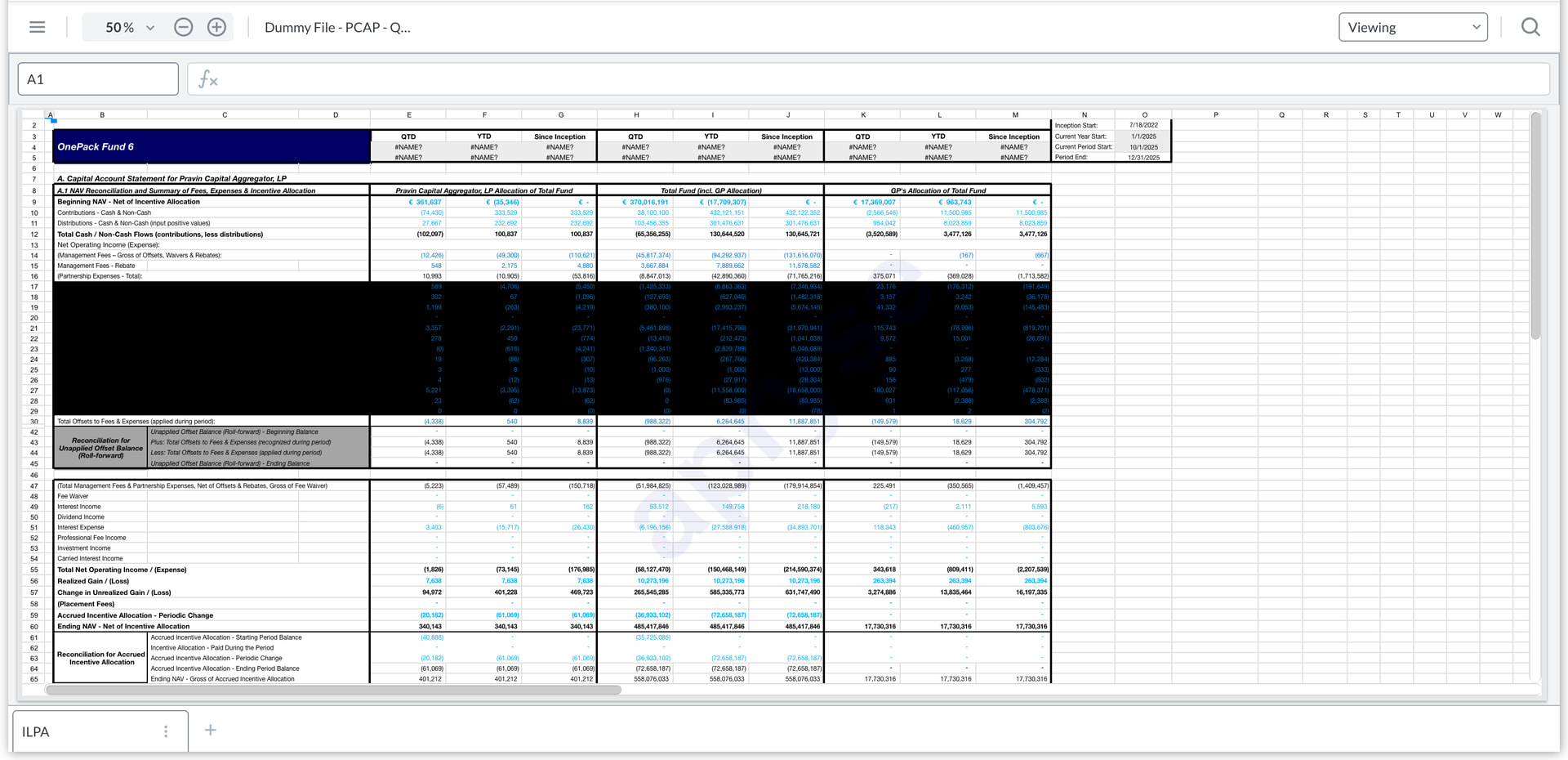
- Loads partially but shows black background in certain sections
Steps to Reproduce:
- Open Spreadsheet Editor
- Upload the attached Excel file
Expected Behavior:
- File should load completely and render correctly (as in Excel)
Actual Behavior:
- Viewer keeps loading OR shows black sections
File Details:
The attached Excel file is a financial report (ILPA format) and contains:
- Formula-based cells
- Background (fill) colors
- Merged cells and structured layout
Workaround:
Converting formulas to values and removing formatting allows the file to load correctly.
Question:
Is this a known limitation when handling Excel files with complex formatting and formulas?
Are there any plans to improve support for such files in future releases, or any recommended best practices to avoid this issue?
Thanks!
Please provide a link to a minimal sample where the issue is reproducible:
Dummy File - PCAP - Q4’25 (ILPA) (Triton6) (3).xlsx (39.7 KB)
Hi Babu,
Thanks for the report. We’ve pushed a fix for this in the release for today. Please update to the latest and let me know if it works for you there.
Also, I noticed the file you sent had user variables (e.g. #NAME? cells). We currently don’t support these, but we are investigating them and plan on adding support for them in upcoming releases.
Let me know if that answers your questions and if you have anything else.
Hi Babu,
My name is Christopher and I am a Support Engineer with the Apryse toolkit.
I have reached out to you directly via email to provide you with a hotfix for this issue.
Please reply back to that ticket email if you run into any issues with it.
Hello Christopher,
Thank you for sharing the hotfix.
I have tested the updated SpreadsheetEditor.js, and I can confirm that the issue with the Excel file getting stuck in a loading state has been resolved. The file now loads successfully in the Spreadsheet Viewer.
However, the rendering issue still persists. A specific section of the sheet (rows 17 to 28) appears as a solid black block even after the file has fully loaded.
The same file renders correctly in Microsoft Excel without any such issue, so this behavior seems to be specific to the Spreadsheet Viewer.
I have attached a screenshot for reference. Please let me know if this can be addressed in a fix or upcoming release.
Thanks,
Babu
Hi Babu,
I am glad that the file is able to load properly now.
As for the other issues, I am discussing this with our Apryse Engineering Department and will update you as soon as I have additional information.
Hey Babu,
Unfortunately, at this time, the functionality for supporting the formulas, as well as support for the dotted background fill pattern are not supported. Feature Requests exist for this functionality and I have added you to those existing Feature Requests so that you will be notified as soon as the functionality becomes available.